



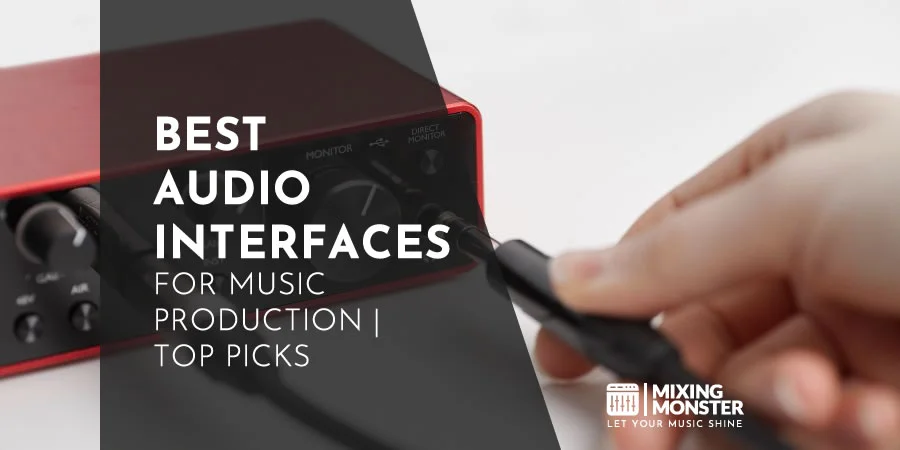



Recording music, podcasts, or voiceovers at home takes more than just a mic and a laptop. The best audio interfaces bridge that gap between your analog gear and your DAW, turning your voice or instrument into something your computer can actually work with.
An audio interface connects your mics, instruments, and whatever else to your computer via USB, Thunderbolt, or a similar connection. With built-in preamps, it boosts your mic's signal, and its converters handle the switch between analog and digital sound. A solid interface delivers a clean, honest sound with minimal lag and enough I/O for your setup. Most of them come with phantom power for condenser mics, direct monitoring, and hands-on gain knobs so you can dial in levels just right.
The number and type of inputs you get determine how much you can record at once. Connection type matters too—some are faster or play nicer with certain computers. Preamps really shape your sound's clarity and the amount of noise that sneaks in.
We dug into a stack of interfaces, testing and comparing to spotlight the ones that actually deliver pro-level sound and real reliability for home studios and content creators.
Key Takeaways / TL;DR
- In this article, you'll find comprehensive reviews of
the best audio interfaces on the market. - You'll find the following categorized sections:
- Each section meticulously reviews relevant audio interfaces, ordered by price (lowest to highest).
- Prices are approximate and may vary by retailer and region.
Best Budget Pick
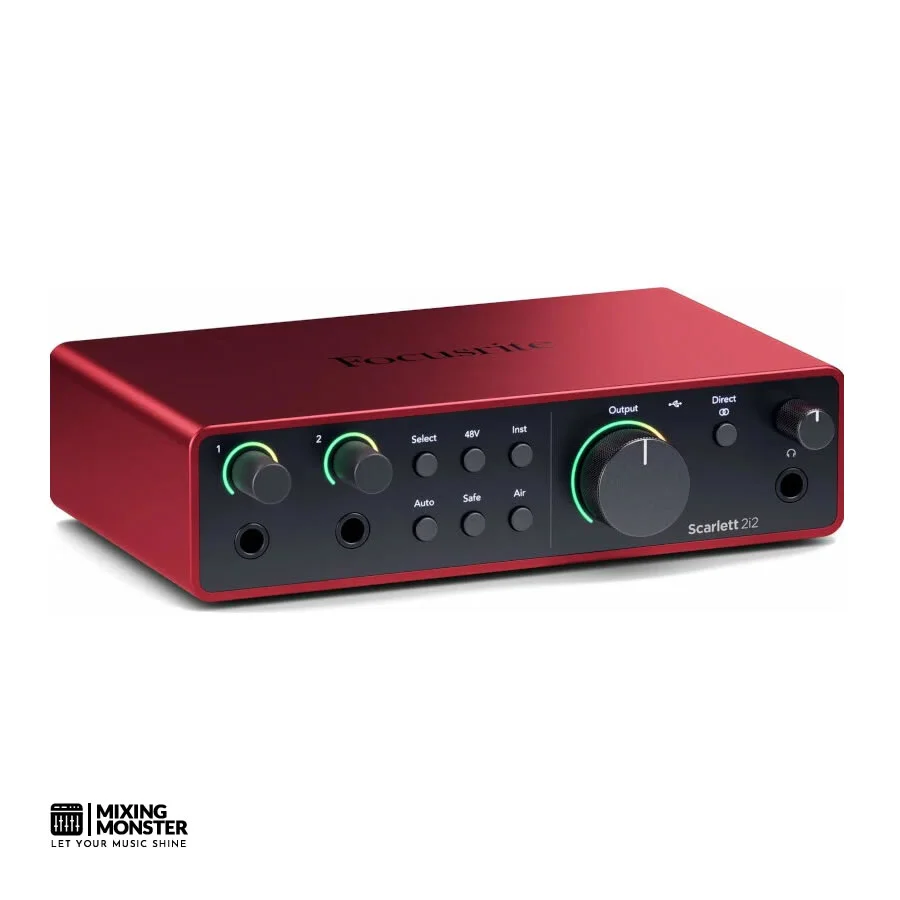
Focusrite
Scarlett 2i2 4th Gen
Best Midrange Pick
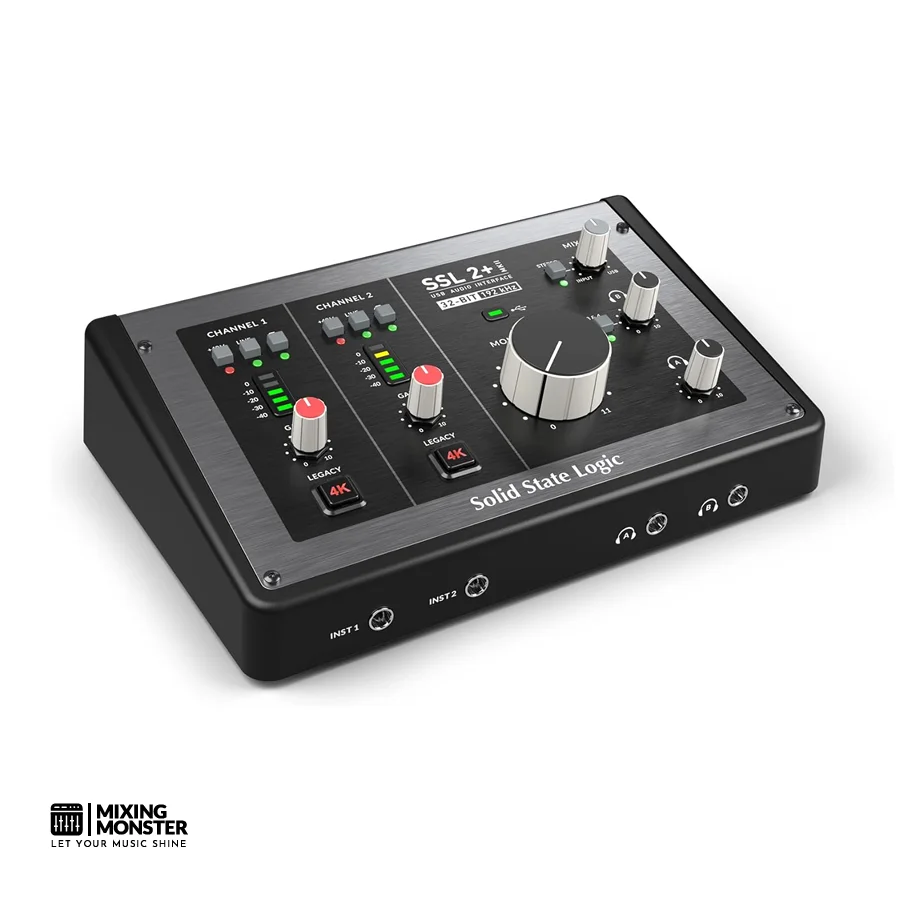
Solid State Logic
SSL 2+ MKII
Best High-End Pick
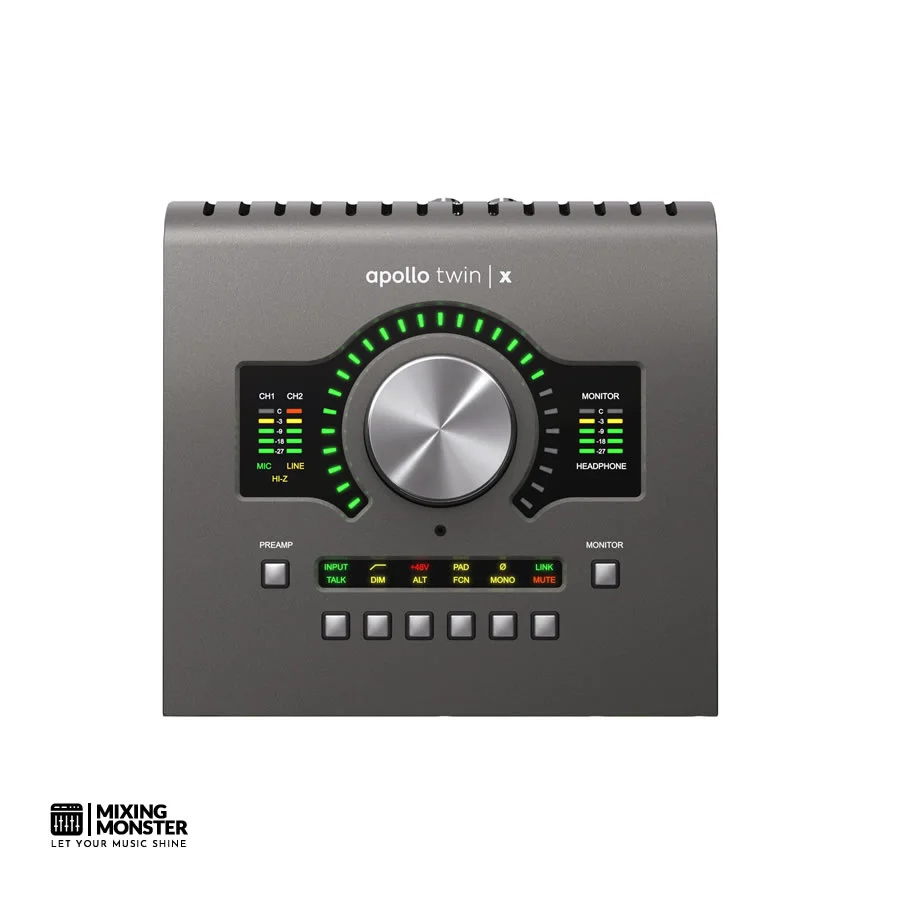
Universal Audio
Twin X DUO USB HE

1
What Are The Best Audio Interfaces?
We tried out a bunch of audio interfaces to track down the ones that really hit the mark for sound, reliability, and features. Our top picks cover all budgets and needs, whether you're making beats in your bedroom or running a full studio.
Best Budget Audio Interfaces
Mackie
Onyx Artist 1.2
Presonus
AudioBox USB 96
Universal Audio
Volt 2
Focusrite
Scarlett 2i2 4th Gen
Audient
iD4 MKII
Best Midrange Audio Interfaces
MOTU
M4
IK Multimedia
AXE I/O Solo
Focusrite
Scarlett 4i4 4th Gen
Solid State Logic
SSL 2+ MKII
Universal Audio
Volt 476P
Best High-End Audio Interfaces
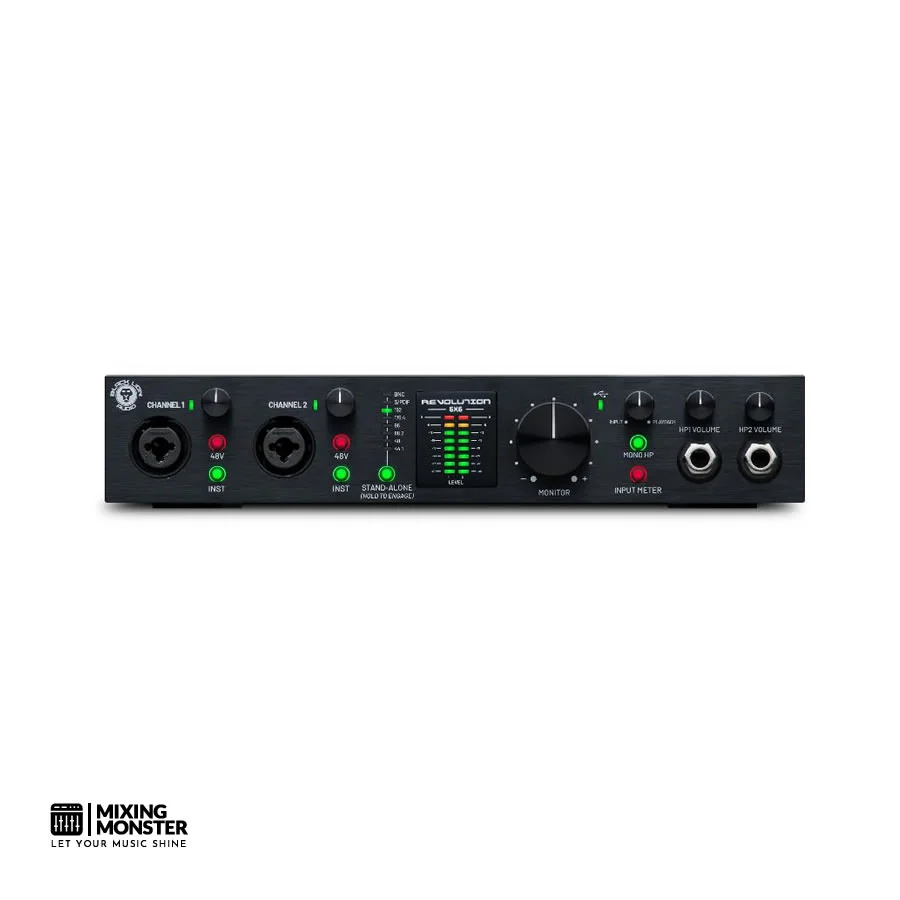
Black Lion Audio
Revolution 6x6
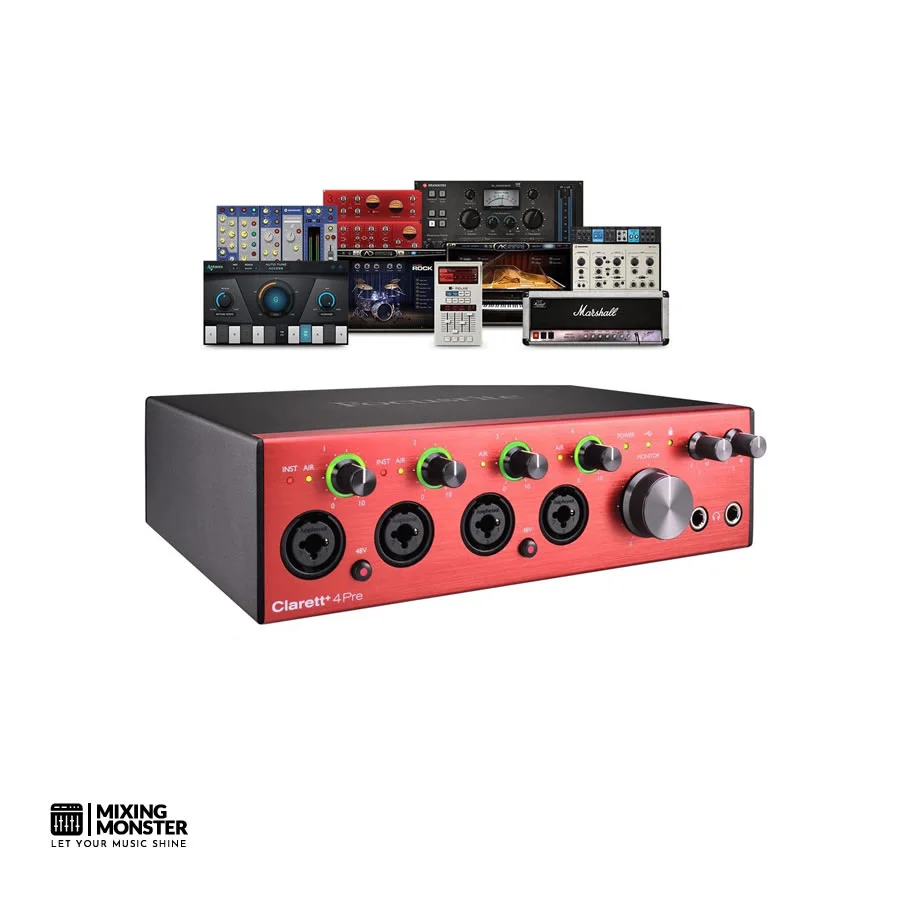
Focusrite
Clarett+ 4Pre
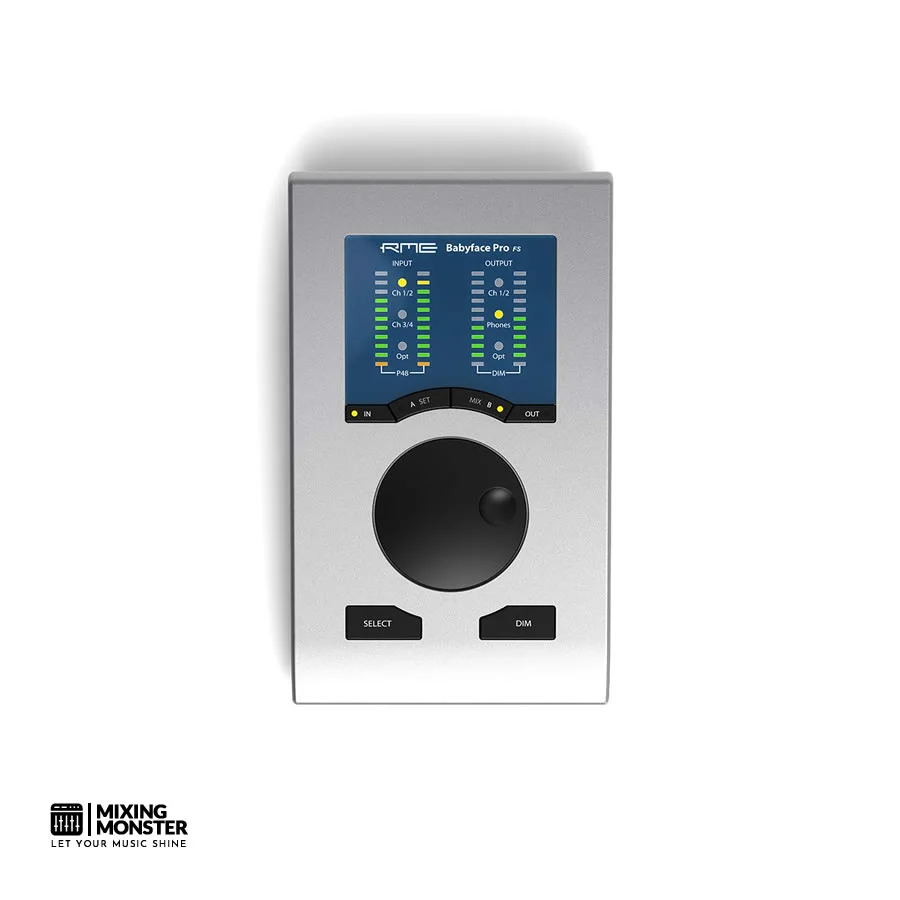
RME
Babyface Pro FS
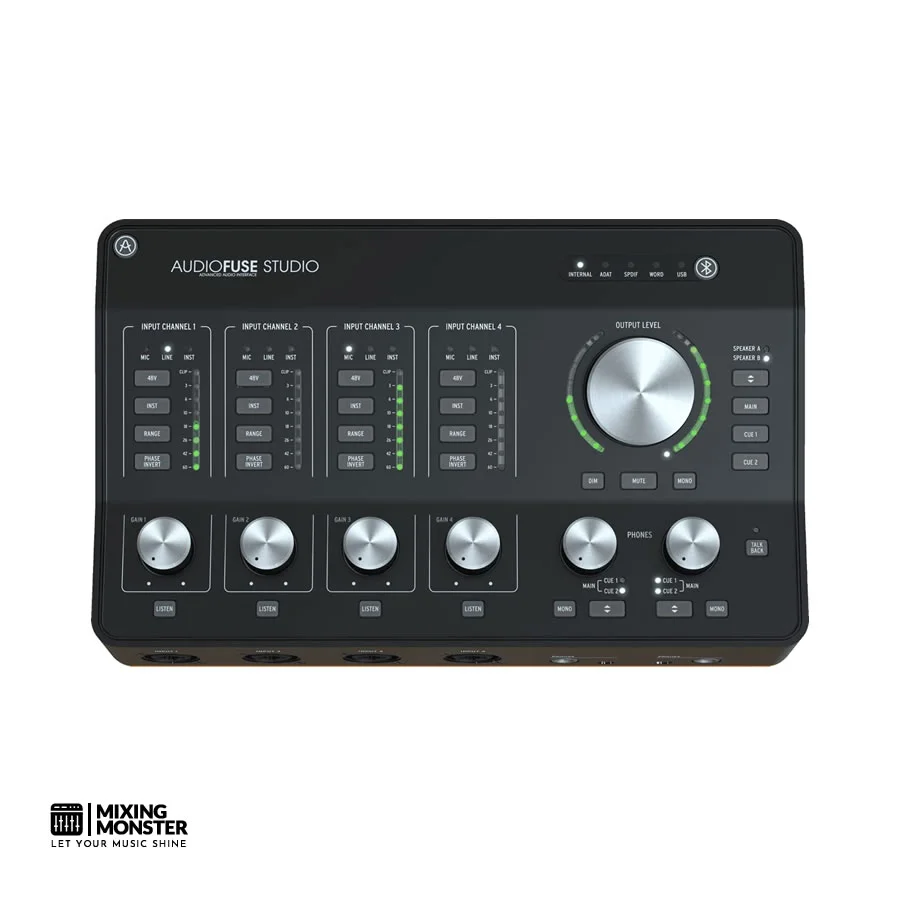
Arturia
Audiofuse Studio
Universal Audio
Twin X DUO USB HE

Best Budget Audio Interfaces
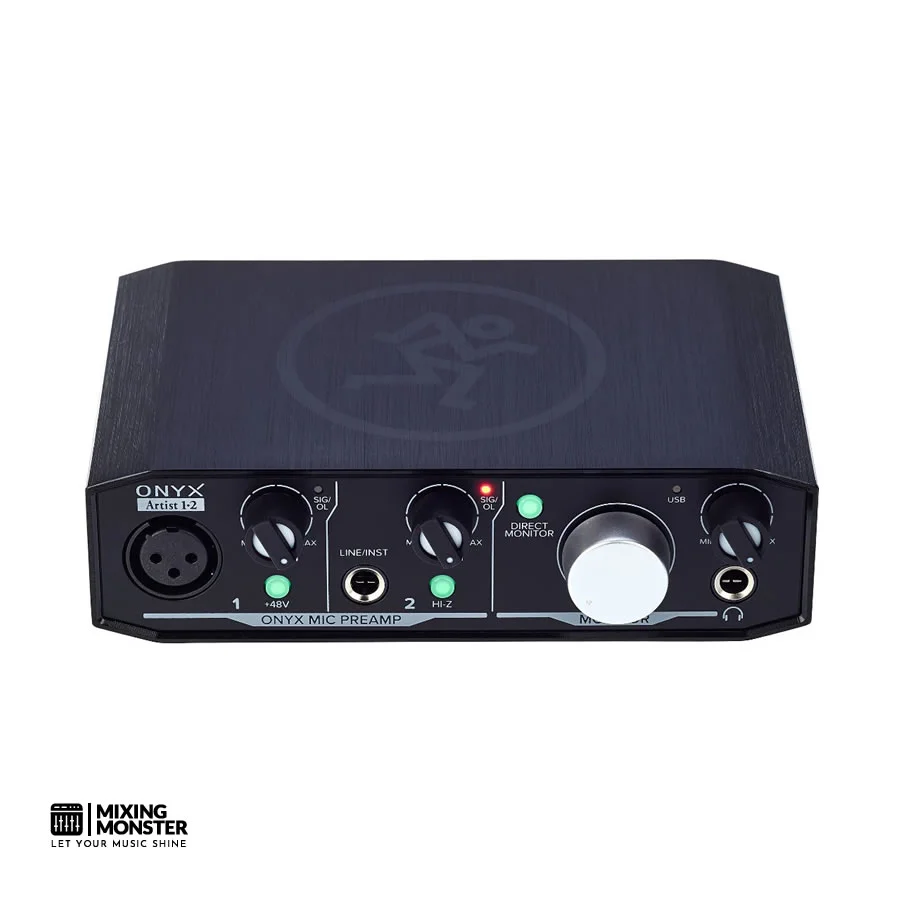
Mackie Onyx Artist 1.2
Best For: Budget-Friendly Recording For Beginners And Podcasters
Overview
Mackie's Onyx Artist 1.2 is a no-nonsense, entry-level interface that really outperforms its price tag. With Mackie's own Onyx preamps inside, it's perfect for solo artists, podcasters, or anyone just getting started. You get a simple 2-in/2-out setup, and the sound is surprisingly clean for something so affordable. If you're dipping your toes into home recording, this one's a safe bet.
Pros
- Onyx mic preamps sound great for the money
- Runs off USB—no extra power needed
- Super simple layout, easy for beginners
- Feels sturdy for the price
- Low-latency direct monitoring
Cons
- Only 2-in/2-out—pretty limited
- No MIDI
- Can't adjust headphone volume separately
- Not made for bigger recording setups
- Doesn't come with much in the way of software
Unique Selling Point
What's cool here is Mackie brings their pro-level Onyx preamps—usually found in their pricier mixers—down to an affordable interface, so even total beginners get a real taste of quality sound without spending a fortune.
Key Benefits
- Pro Preamp Quality for Cheap — Those Onyx preamps give you clean, clear gain, so you're not itching to upgrade right away.
- USB Bus Power — No power adapter needed, so you can toss it in a bag or keep your desk tidy.
- Plug-and-Play — Works with all the major DAWs right out of the box, so you can get recording fast.
Average Price
Review
Honestly, the Onyx Artist 1.2 is one of the easiest ways to get started with home recording. The preamp quality surprised us—Mackie didn't cut corners there, and you can hear it. It borrows from their pro consoles, so the signal stays clean and honest, even compared to pricier options.
Setup was a breeze. We plugged it in, and both Mac and Windows recognized it instantly—no hunting for drivers or weird software. The front panel is dead simple: gain, direct monitor, and headphones. If you want to get to making music, not fiddling with menus, this is your friend.
We tracked vocals, acoustic guitar, and some voiceover work, and honestly, it handled everything well. The noise floor stayed low, and direct monitoring let us hear ourselves in real time—no annoying lag, which is huge for singers.
The main catch? You don't get much room to grow. Two ins and outs work for solo stuff, but if you want to record a whole band or add more gear, you'll outgrow it fast. And if you use a lot of MIDI hardware, the lack of MIDI I/O is a pain.
Still, for beginners, podcasters, or solo home studio folks, the Mackie Onyx Artist 1.2 is a solid pick. It's reliable, well-built, and actually sounds good. For the price, it's tough to beat.
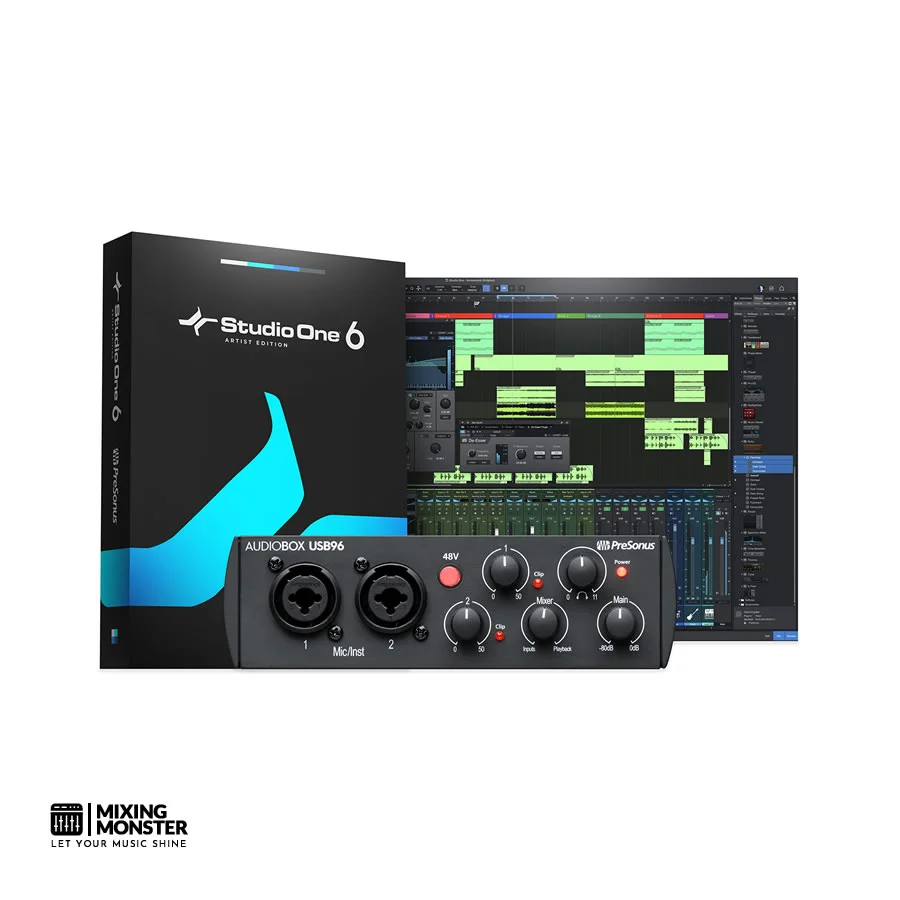
PreSonus AudioBox USB 96
Best For: First-Time Recordists Seeking A Complete Starter Bundle
Overview
The PreSonus AudioBox USB 96 packs a lot for beginners. It's a compact, bus-powered interface with two combo XLR/TRS inputs and 96kHz recording, all at a price that won't make you wince. You get Studio One Artist software bundled in, so you don't have to hunt for a DAW or spend extra just to get started. For new producers, that's a pretty sweet deal.
Pros
- Records up to 96kHz/24-bit for future-proof audio quality
- Bundled with PreSonus Studio One Artist DAW
- Rugged, all-metal chassis
- 48V phantom power for condenser microphones
- Class-compliant USB — works with iPad
Cons
- Preamps are functional but lack warmth and character
- No dedicated instrument volume control on the front panel
- Slightly higher latency compared to competitors at this price
- Limited headphone output power
- No MIDI I/O
Unique Selling Point
The AudioBox USB 96 stands out by offering 96kHz recording and a pro DAW bundled in for under $100. For beginners, it's a rare all-in-one package that doesn't demand extra software purchases.
Key Benefits
- 96kHz High-Resolution Recording — Lets you capture audio at a sample rate usually found in pricier gear, so your budget does not box you in.
- Complete Software Bundle — Studio One Artist comes in the box, so you can launch right into music making without shelling out for a DAW. The included virtual instruments and effects are a legit bonus.
- Durable Metal Build — The all-metal housing feels solid—honestly, it's more rugged than you'd expect for the price, and it'll survive a few bumps if you're gigging or just clumsy.
Average Price
Review
The PreSonus AudioBox USB 96 has remained a go-to for beginners, and honestly, it's easy to see why. When we first got our hands on it, the metal chassis felt sturdy—way more confidence-inspiring than the plastic builds you often see at this price.
The 96kHz/24-bit recording is a real perk. Sure, most folks start by recording at 44.1kHz or 48kHz, but it's nice to have the option to go higher if you ever need it. When we tried both 48kHz and 96kHz, there was a noticeable improvement in clarity at the higher rate, especially in the highs.
Studio One Artist DAW is probably the biggest win here. Getting a fully functional DAW with instruments and effects out of the box means you can plug in and go—no extra purchases, no setup headaches. The workflow is modern, and it doesn't feel like a "lite" version that holds you back.
The preamps, though, are where the AudioBox shows its limits. They're clean enough for basic tracking, but if you're picky about warmth or headroom, you'll probably notice they aren't as rich as what you get from something like the Mackie Onyx Artist.
You have to be careful with gain staging, too—push them too hard, and you'll get some noise creeping in.
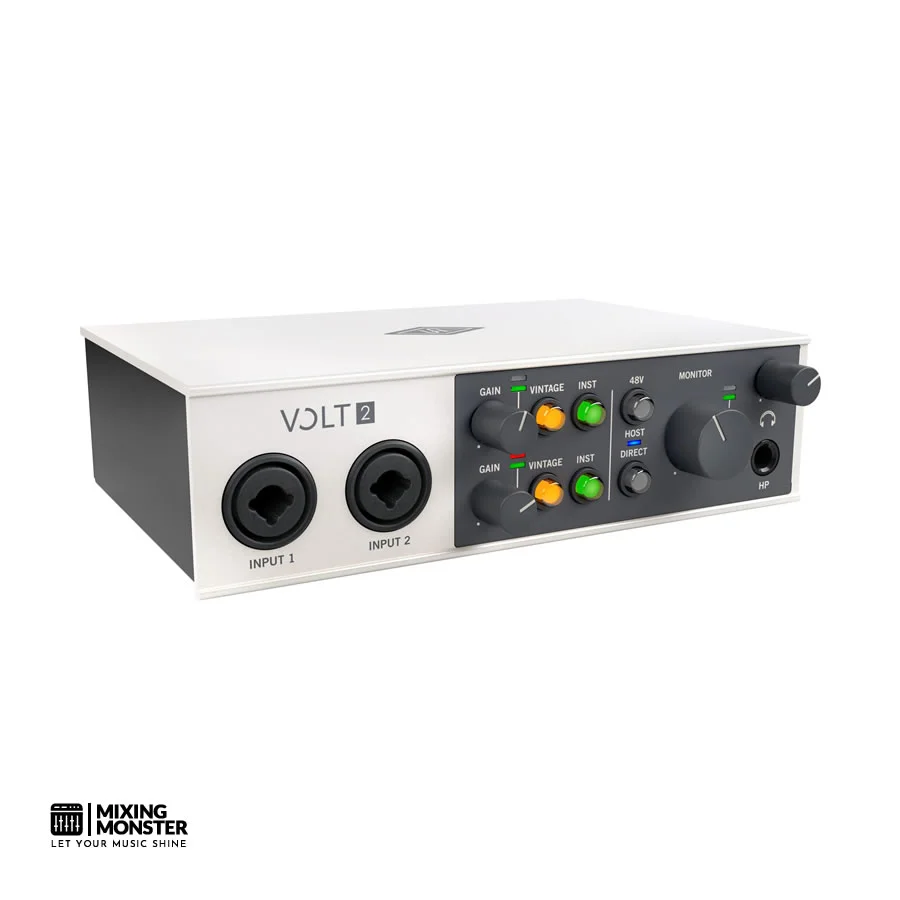
Universal Audio Volt 2
Best For: Vintage Tone Seekers Who Want Analog Character On A Budget
Overview
Universal Audio's Volt 2 brings a bit of that analog magic to a price regular folks can actually manage. With 2-in/2-out USB connectivity and the standout Vintage mode, it injects some of the UA 610 tube preamp's vibe straight into your tracks. Plus, UA throws in a suite of UAD plugins, so you're not just getting hardware—you're getting some serious creative tools, too.
Pros
- Vintage mode adds genuine analog harmonic color
- Bundled with UAD plugin suite (including 1176 compressor)
- Clean, well-designed hardware with solid build quality
- 24-bit/192kHz recording resolution
- Bus-powered via USB-C
Cons
- Vintage mode is a single fixed character — not adjustable
- UAD plugin suite requires online activation
- No MIDI I/O
- Limited to 2 inputs — not suitable for multi-mic recording
- Higher price than competitors with similar I/O count
Unique Selling Point
The Volt 2 is really the only interface at this price with a true analog Vintage mode inspired by UA's iconic 610 tube preamp. You get real hardware saturation, not just a digital emulation—pretty wild for a sub-$200 box.
Key Benefits
- Vintage Analog Character — The hardware Vintage mode circuit brings warmth and that "something extra" to vocals, guitars, and synths—no need to fuss with extra plugins to get a touch of analog vibe.
- Bundled UAD Plugins — You get a pro-grade UAD software bundle, including the 1176 compressor emulation. That's a staple on countless records, and here it's just included.
- 192kHz High-Resolution Capability — Can record up to 192kHz, which is honestly overkill for most, but hey, it's there if you want it. That's top-tier fidelity for this price.
Average Price
Review
Universal Audio dropped the Volt 2 to prove that analog character doesn't have to cost a fortune. After putting it through its paces, we'd say they mostly nailed it. The Volt 2 is honestly one of the most sonically interesting interfaces under $200.
Vintage mode is the real draw here. Hit that button, and you get a hardware-based saturation circuit inspired by UA's classic 610 tube preamp. We ran vocals, acoustic guitar, and bass through it—each time, the sound picked up a nice warmth and depth, making everything feel a bit more "finished." It's subtle, not over-the-top, and it definitely reduces the need for extra processing later.
The UAD plugin bundle is a genuine value add, especially the 1176 compressor emulation. That's a tool pros use all the time, and it's cool to see it included here. It really gives you a leg up if you're starting or want to expand your plugin collection without spending extra.
As for the preamps, they're solid in standard mode—quiet, clear, and able to handle everything from dynamic mics to hot condensers. The 192kHz ceiling is impressive, though let's be real, most of us will stick to 44.1kHz or 48kHz for daily work.
Focusrite Scarlett 2i2 4th Gen
Best For: Home Studio Producers Wanting The Industry-Standard Starter Interface
Best Pick In This Section
Overview
The Focusrite Scarlett 2i2 4th Gen, the latest in a long line of best-selling audio interfaces, keeps raising the bar for home recording. With its reworked Air mode circuitry, better dynamic range, and a generous software bundle, the Scarlett 2i2 4th Gen really does offer a polished recording solution for solo artists and producers. It's still the go-to for anyone just getting into home studio recording.
Pros
- Best-in-class preamp performance for its price range
- Air mode adds an analog transformer-like high-frequency presence
- Excellent dynamic range and low noise floor
- Comprehensive Focusrite software bundle
- Instrument input with auto-gain and clip-safe features
Cons
- Only 2 inputs — limits multi-source recording
- No MIDI I/O
- USB-C cable included, but not USB-C to USB-A adapter
- Slightly more expensive than direct competitors
- Software bundle requires online registration
Unique Selling Point
Focusrite gave the Scarlett 2i2 4th Gen a redesigned Air mode that actually emulates the transformer-coupled input of their classic ISA mic preamps. That's a pretty impressive trick for a device in this price range—most competitors can't match that studio polish.
Key Benefits
- Redesigned Air Mode — The improved Air mode circuit adds that high-frequency shimmer and harmonic edge inspired by Focusrite's legendary ISA transformer preamps, making everything you record sound just a bit more expensive.
- Clip Safe Technology — With its clever dual-converter system, the Scarlett 2i2 automatically grabs a backup take at lower gain, so you don't lose a great performance to unexpected clipping. That's a lifesaver, honestly.
- Comprehensive Software Bundle — You get Ableton Live Lite, Pro Tools Artist, and a pile of plugins and virtual instruments. It's a real studio in a box, right out of the gate.
Average Price
Review
The Focusrite Scarlett 2i2 4th Gen is, honestly, the most iconic audio interface in home recording history. Focusrite didn't just stick with what works—they found ways to make meaningful improvements across the board, so upgrading from an older Scarlett actually feels worthwhile.
The preamp performance really stands out. Focusrite keeps refining its preamp circuitry, and this generation's about as clean and transparent as you'll get from a Scarlett.
The dynamic range is even better, so your recordings come out impressively quiet and detailed. Whether you're tracking vocals, acoustic instruments, or plugging in a guitar direct, you get a professional signal chain every time.
Air mode is the headline feature. Unlike the older software-based Air emulation, this version uses actual hardware to add that high-frequency sparkle and presence you'd expect from Focusrite's ISA transformer preamps.
In our vocal tests, switching on Air mode brought a natural brightness and openness that usually takes pricey hardware or heavy plugin use to achieve. It's subtle, but it makes a difference.
Clip Safe is just smart. The interface runs a secondary converter at lower gain, so it's always recording a safety net track. During testing, this saved a few takes that would've been trashed otherwise—anyone who's lost a great moment to clipping knows how much that matters.
Of course, the Scarlett 2i2 4th Gen isn't perfect—the 2-in/2-out setup and lack of MIDI will eventually push some folks to bigger interfaces. But as a recording solution for solo artists, podcasters, and home studio producers, it's still the one we'd recommend first.
There's a reason it's the industry standard, and honestly, it's earned that spot.
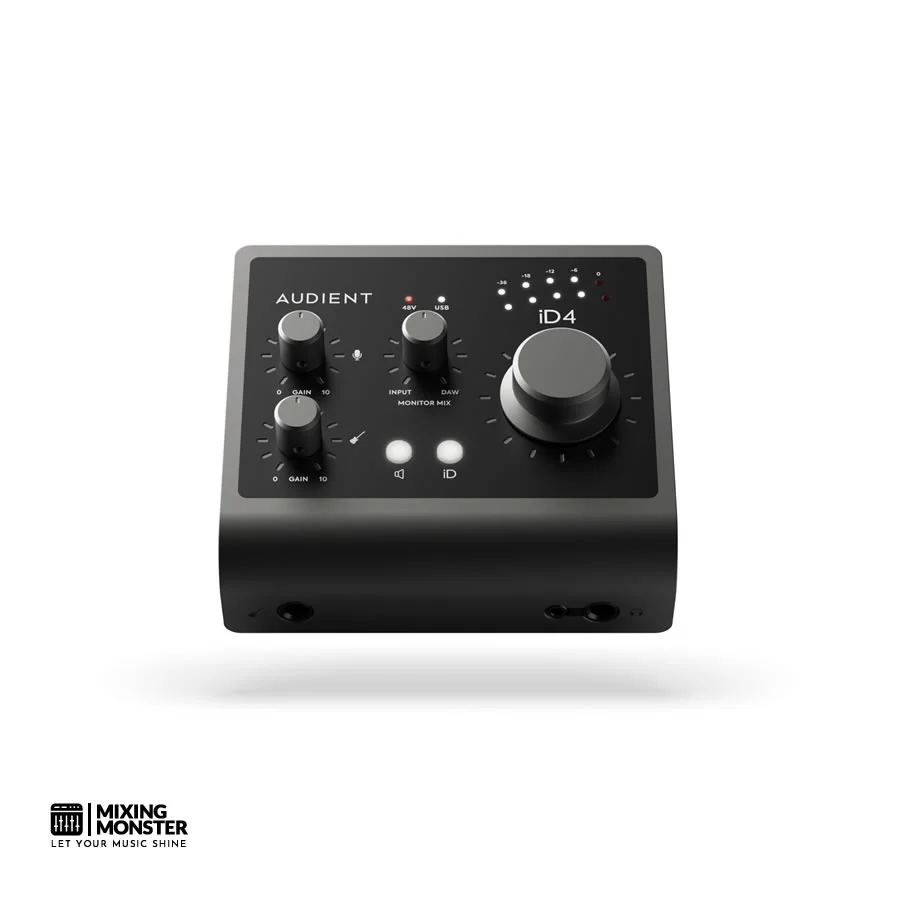
Audient iD4 MkII
Best For: Tone-Conscious Beginners Who Want Console-Grade Preamps
Overview
The Audient iD4 MkII squeezes Audient's famous console-grade mic preamp technology—the same circuitry from their high-end desks—into a surprisingly affordable little box. You get a class-leading preamp, a JFET instrument input, and ScrollControl, which lets you use the main knob as a DAW scroll wheel.
It's a thoughtfully designed interface, and honestly, it really appeals to folks who care most about great mic sound. A lot of producers call it one of the best-sounding interfaces you can get for the money.
Pros
- Single console-grade Audient mic preamp — exceptional clarity and headroom
- JFET instrument input for authentic analog guitar/bass tone
- ScrollControl turns the main knob into a DAW scroll wheel
- Low noise floor and excellent dynamic range
- Compact, premium-feeling aluminium chassis
Cons
- Only one mic/line input limits simultaneous multi-source recording
- No MIDI I/O
- ScrollControl can be accidentally activated
- Headphone output lacks volume precision at lower levels
- No bundled DAW software
Unique Selling Point
The Audient iD4 MkII is the only interface in its price range with a real-deal console-grade Audient mic preamp—the same design they use in their pro desks. That means you get transparency, headroom, and detail that most other budget interfaces can't touch.
Key Benefits
- Console-Grade Preamp Performance — The single Audient preamp delivers striking clarity, a wide dynamic range, and headroom that feels almost luxurious at this price. If you're picky about your mic sound, this is a standout.
- JFET Instrument Input — The discrete JFET DI input does a great job mimicking the feel and sound of a tube amp's input, so guitars and basses sound warm and lively, not flat or sterile.
- ScrollControl Workflow Integration — That big volume knob doubles as a DAW scroll wheel. It's weirdly satisfying, and honestly, it speeds up editing way more than you'd expect.
Average Price
Review
The Audient iD4 MkII really stands out in a sea of entry-level interfaces. Instead of cramming in as many features as possible, Audient zeroed in on making one truly excellent mic preamp. After spending some time with it, I get why that approach works so well for the right person.
The mic preamp is the real star here. Audient's console preamp design, borrowed straight from their flagship desks, delivers clarity and headroom you don't expect at this price.
When we tracked vocals, the difference was obvious—recordings felt open and detailed, and honestly, we needed less EQ and compression to make them sit right in the mix. If you're a singer or acoustic player who only needs one great mic, this thing really makes a difference.
The JFET instrument input is another nice touch. Where many cheap interfaces slap in a basic DI, Audient actually modeled the input after a tube amp. Plugging in guitars and basses, we got a subtle warmth and responsiveness that felt way more musical than most budget interfaces. Both single coils and humbuckers sounded great—more lively, less harsh.
ScrollControl honestly surprised us. At first, it seemed like a gimmick, but after a couple of sessions, we found ourselves reaching for the big knob to scroll through our DAW timeline all the time. It's a small thing, but it speeds up editing, and it just feels good to use.
The iD4 MkII does have a limitation: you only get one mic input. If you need to record more than one mic at once, you're out of luck. But for solo artists, podcasters, or producers who want the best possible sound from a single mic, the Audient iD4 MkII punches way above its weight—a real case of quality over quantity.
Related Articles
Best Midrange Audio Interfaces
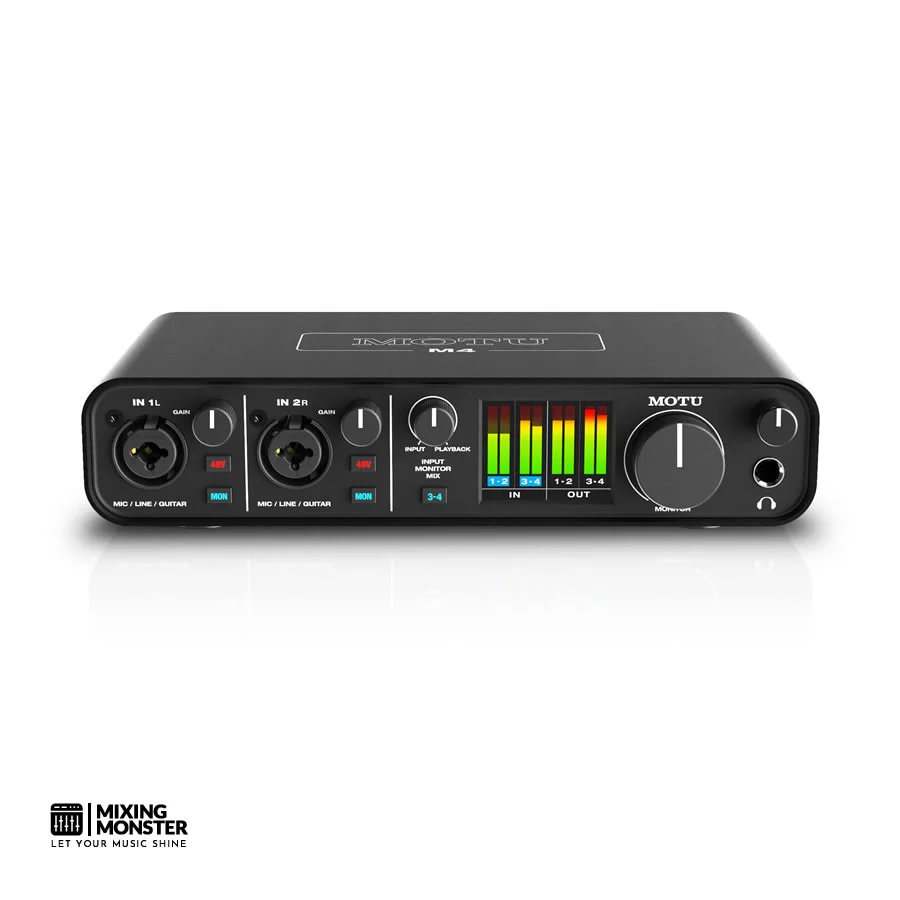
MOTU M4
Best For: Multi-Source Home Studio Recording With Best-In-Class Metering
Overview
The MOTU M4 is a 4-in/4-out USB-C audio interface that's made a name for itself by delivering top-notch audio performance and some genuinely useful features at a mid-range price.
With two combo XLR/TRS mic preamps and two extra line inputs, you can handle vocals, instruments, and hardware all at once. The full-color LCD metering and studio-grade converters have made it a go-to for home studio producers who want a little more than the basics.
Pros
- Exceptional audio quality with ESS Sabre32 Ultra converters
- Full-color LCD meters for precise level monitoring
- 4-in/4-out configuration supports more complex recording setups
- Loopback functionality for streaming and podcasting
- USB-C connectivity with bus power
Cons
- Preamps, while clean, lack character compared to Audient or Focusrite
- No hardware DSP or onboard effects processing
- Full-color display adds cost over competitors with similar I/O
- No MIDI I/O
- Bundled software is less comprehensive than Focusrite or PreSonus
Unique Selling Point
The MOTU M4 packs ESS Sabre32 Ultra AD/DA converters—the same tech you'll find in high-end audiophile and pro studio gear. You get a measured dynamic range that pretty much blows away most interfaces at this price and even rivals some that cost twice as much.
Key Benefits
- ESS Sabre32 Ultra Converters — These converters are the real deal, delivering detailed, accurate audio that honestly feels more expensive than it is. If you're picky about sound quality, it's a no-brainer.
- Full-Color LCD Metering — The meters are bright and easy to read, letting you keep tabs on your levels in real time. No more squinting at tiny LEDs or guessing with software meters—this makes gain staging so much easier.
- Loopback Functionality — You can route audio from your computer right back into the interface, making the M4 a great tool for streamers, podcasters, and content creators who need to mix multiple sources on the fly.
Average Price
Review
The MOTU M4 shook up the mid-range interface market by offering audio specs and features that you'd usually expect from way pricier gear. After a bunch of sessions with it, we can say the hype is pretty well-earned.
Those ESS Sabre32 Ultra converters are the heart of the M4. You'll usually find them in fancy audiophile DACs or pro studio gear, and here, they deliver a dynamic range that holds its own against interfaces twice the price.
In critical listening, the tracks sounded precise and transparent, with subtle details that sometimes get lost with lesser converters. If you're the kind of producer who notices the little things, this is a big deal.
The full-color LCD metering is a game-changer for workflow. Accurate gain staging is crucial, and having big, clear meters right on the interface takes the guesswork out. We found ourselves working faster and clipping less, which, let's be honest, is always a win.
The 4-in/4-out setup is genuinely useful. You can hook up two mics, a stereo instrument, and maybe a synth or external FX box—all at once. This flexibility means you won't outgrow the M4 anytime soon, and it adapts as your studio setup gets more complex.
If we had to nitpick, the preamps are super clean but maybe a little sterile compared to the warmth of the Audient or the Focusrite's Air mode. For some, that's a plus—accuracy above all. For others, maybe it's missing a bit of vibe. Still, for the money, the MOTU M4 is one of the most technically impressive and best-value interfaces out there.
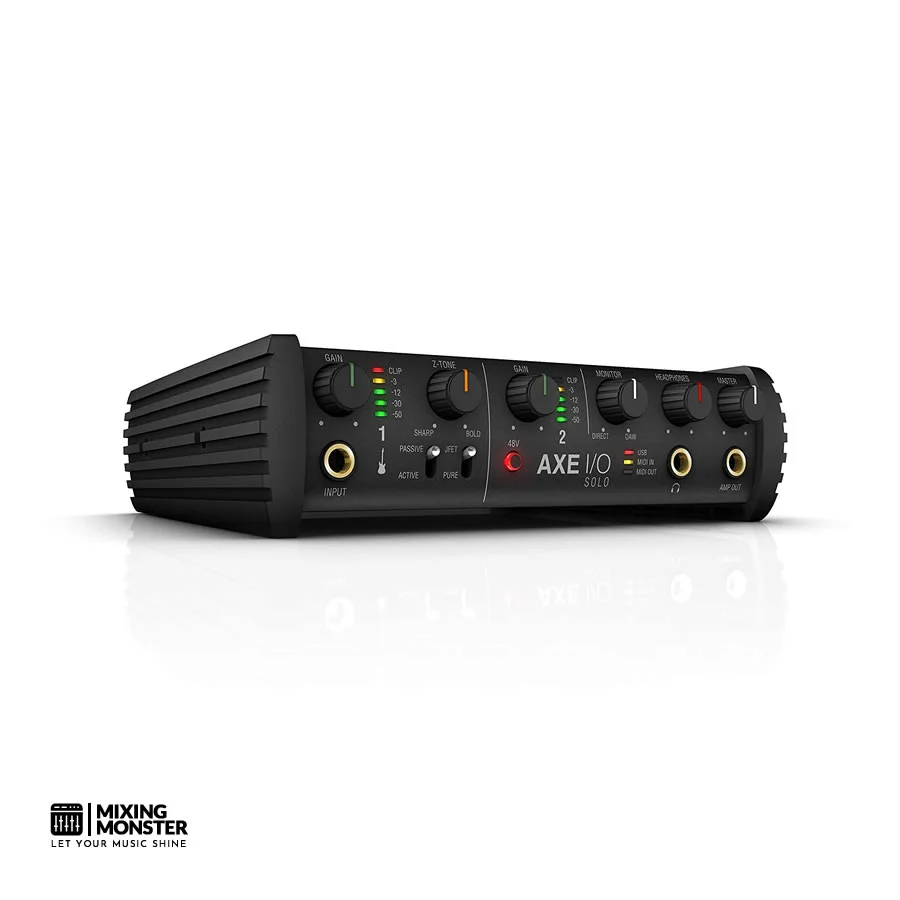
IK Multimedia AXE I/O Solo
Best For: Guitarists And Bassists Who Want A Dedicated Instrument Recording Interface
Overview
The IK Multimedia AXE I/O Solo is a specialized audio interface made for guitar and bass players who care about getting the most authentic and flexible direct recording experience.
Unlike those generic audio interfaces with basic DI inputs, the AXE I/O Solo brings a sophisticated instrument input section, variable impedance, a PURE/JFET input selector, and tight integration with IK Multimedia's AmpliTube software. If you're a guitarist obsessed with tone, this box is in a totally different league.
Pros
- Variable impedance control lets you really shape your guitar or bass tone
- PURE and JFET inputs cover both clean and amp-like recording vibes
- Deep AmpliTube amp sim integration
- Solid mic preamp with 48V phantom power
- Compact, bus-powered over USB-C
Cons
- Just one mic input, so not ideal for folks recording more than instruments
- Full AmpliTube experience costs extra
- Pretty niche—doesn't cover all studio needs
- No MIDI I/O on board
- A bit pricier than some general interfaces with similar specs
Unique Selling Point
The AXE I/O Solo stands out with its variable impedance control. Guitarists can actually tune the input impedance to match any pickup type, changing the tone and feel of their instrument in a way that's not possible with other interfaces in this price range.
Key Benefits
- Variable Impedance Control — Lets you dial in the perfect input impedance for your pickups, unlocking a range of sounds from bright and snappy to warm and squishy—without swapping out any gear.
- PURE/JFET Input Switching — Switch between a super-clean PURE input and a harmonically rich JFET option. You get two very different sonic flavors to play with, which really opens up creative options.
- AmpliTube Integration — It just plugs right into the AmpliTube ecosystem, making virtual amp tones feel more real and the workflow way smoother than you'd expect.
Average Price
Review
The AXE I/O Solo doesn't pretend to be everything for everyone—and honestly, that's what makes it so good for its target crowd. IK Multimedia clearly built this thing for guitarists and bassists who care about direct recording, and it finally addresses those annoying tonal compromises you get with standard audio interfaces.
After running it through its paces with a bunch of different guitars and basses, we've gotta say, the depth of tonal control is impressive.
That variable impedance control? Game changer. We could tweak the input impedance and completely shift how guitar pickups responded. If we wanted a brighter, more detailed sound for single coils, we'd crank up the impedance.
Humbuckers sounded warmer and more compressed when we dialed them down. Having this kind of hands-on tonal shaping before the signal even hits any amp sim or plugin—yeah, you notice the difference right away in both the sound and how it feels to play.
The PURE/JFET selector is another creative tool in the box. PURE gives you a totally clean, transparent signal—great for acoustic or clean electric tones. Flip to JFET, and suddenly there's this subtle, musical saturation that really does feel like plugging into an old-school tube amp.
When we used the JFET setting with amp sims, it brought out that dynamic response and touch sensitivity that's usually missing from digital setups. It's a small switch, but it makes a big difference in the playing experience.
AmpliTube integration is as smooth as you'd hope. The interface and software recognize each other right away, and setting up complex virtual rigs is fast and pretty intuitive. Sure, you'll need to buy extra AmpliTube content to get the full library, but what you get out of the box is enough to start recording right away.
The AXE I/O Solo's limitations stem mainly from its focused design—it's a specialist tool. If you need lots of mic inputs or a do-it-all interface, this probably isn't for you.
But for guitarists and bassists who want the most authentic, tonally rich direct recordings possible, the AXE I/O Solo is easily one of the most thoughtfully built options out there.
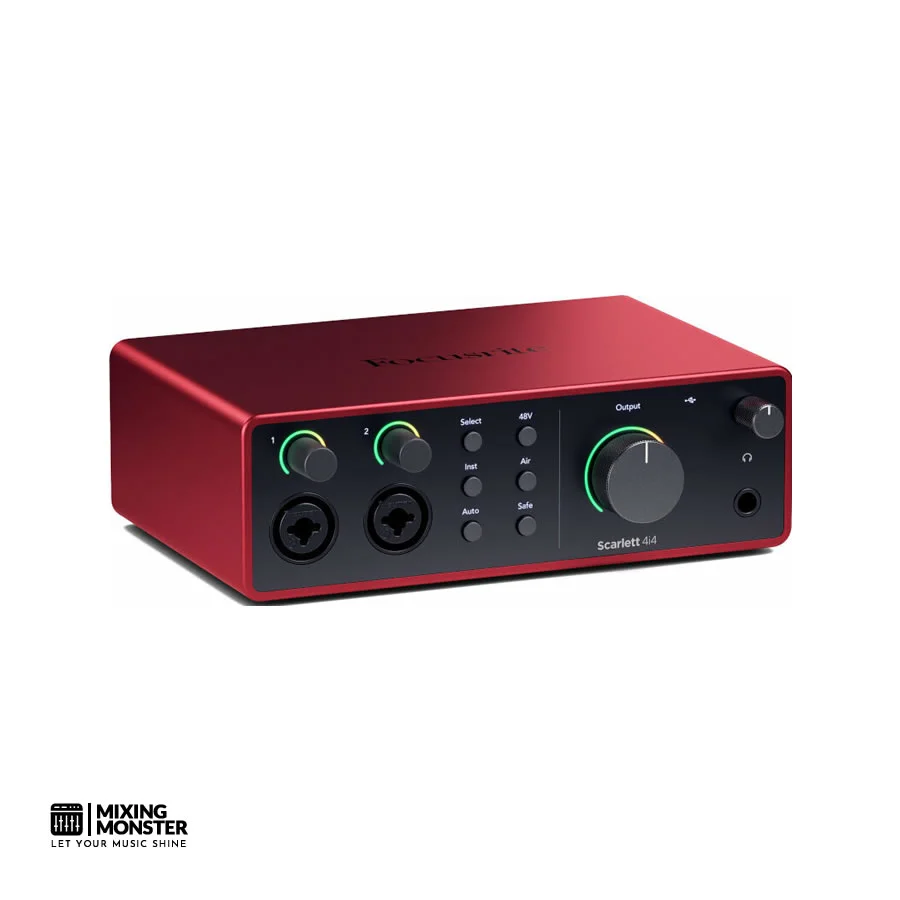
Focusrite Scarlett 4i4 4th Gen
Best For: Growing Home Studios Needing An Expandable 4-Input Recording
Overview
The Focusrite Scarlett 4i4 4th Gen steps up from the iconic Scarlett 2i2, giving you four inputs, four outputs, and MIDI I/O in a compact desktop package.
It builds on the improved preamp and Air mode tech found in the 4th generation Scarletts. Still, it adds the flexibility you need for more complex recording — whether you're tracking a drum kit or running a hybrid analog/digital setup. For producers outgrowing a 2-input interface, this one makes sense.
Pros
- Four inputs with two high-quality Scarlett 4th Gen preamps
- Includes MIDI I/O — rare at this price point
- Air mode on both mic preamp channels
- Clip Safe technology on both preamp inputs
- Comprehensive Focusrite software bundle included
Cons
- Line inputs 3 and 4 lack mic preamps — limited to line-level sources
- Requires USB bus power, which may strain some laptop ports
- Slightly bulkier than 2i2 — less portable
- No standalone operation
- Software bundle requires online registration and activation
Unique Selling Point
The Focusrite Scarlett 4i4 4th Gen stands out as the most complete interface in the Scarlett lineup for growing studios, uniquely combining 4th-gen preamp quality, Air mode, Clip Safe, and MIDI I/O in a compact unit. It really gives you a pro-level feature set without needing extra gear, and the price is surprisingly accessible.
Key Benefits
- MIDI I/O Integration — With dedicated MIDI in and out ports, you can hook up hardware synths, drum machines, and controllers directly—no need for a separate MIDI interface, which makes the whole studio flow easier.
- Dual Air Mode Channels — Both mic preamp channels have the 4th gen hardware Air mode, so you get that transformer-style high-frequency boost on two mics at once. Handy for dual-mic recording situations.
- Dual Clip Safe Protection — Both preamp channels use Clip Safe, so you get automatic safety recordings on every input. Honestly, it's a relief knowing you won't lose a take to sudden clipping.
Average Price
Review
The Focusrite Scarlett 4i4 4th Gen really hits the sweet spot for producers who've moved past the basics and want a more capable, flexible home studio. After testing the 4i4 next to the smaller 2i2, we honestly felt the upgrade made sense—not just for the extra inputs, but for the added features and workflow improvements.
You get two Scarlett 4th Gen mic preamps, same quality as the 2i2, so if you're upgrading, it feels instantly familiar—just with more routing options. Both channels have the improved Air mode, and in our dual-mic tests (lead vocal plus room mic), the consistency and quality across both channels impressed me.
The recordings had that warmth and detail you expect, plus the Air presence that's made Scarletts so popular.
The MIDI I/O really boosts the 4i4's value. In a modern hybrid studio, being able to plug in hardware synths, drum machines, and controllers straight into the interface—no extra MIDI interface or USB hub—makes life a lot easier. If you're juggling hardware and software, that alone could be a dealbreaker.
Clip Safe on both channels is a lifesaver when you're recording with multiple mics. There's peace of mind knowing both channels are protected from unexpected overloads, especially during live sessions or with unpredictable performers.
In our tests, the safety recordings from Clip Safe sounded clean and were totally usable—definitely saved a few takes we thought were goners.
The main limitation? Inputs 3 and 4 are line-level only—no mic preamps—so if you want more than two mics, you'll need an external preamp. That does add some cost and hassle.
Still, for producers working with a hybrid setup—some hardware, some outboard, and a couple of mics—the Scarlett 4i4 4th Gen is honestly one of the most capable and complete interfaces you'll find at this price.
Solid State Logic SSL 2+ MkII
Best For: Professional-Grade Preamps And SSL Legacy Channel Processing At Mid-Range Price
Best Pick In This Section
Overview
The Solid State Logic SSL 2+ MkII brings the legendary SSL name and sonic heritage to the home studio market in a compact, affordable package.
You get two SSL-designed microphone preamps, a hardware Legacy Channel mode that really nails the vibe of those classic SSL console strips, plus 4-in/4-out connectivity. SSL is clearly aiming this at producers who crave that genuine SSL quality but don't have the budget for their massive consoles.
Pros
- Genuine SSL-designed microphone preamps with legendary clarity and punch
- Legacy Channel mode adds a hardware SSL console channel strip character
- 4-out configuration supports studio monitor switching or multi-room setups
- High-quality headphone output with ample drive
- Comprehensive SSL software bundle with professional plugins
Cons
- Only two mic inputs — limits multi-source simultaneous recording
- Legacy Channel mode is a fixed character, not individually adjustable per channel
- No MIDI I/O
- The SSL software bundle requires online activation
- Slightly larger footprint than comparable 2-input interfaces
Unique Selling Point
The SSL 2+ MkII stands out as the only interface in its price class with a true hardware Legacy Channel mode—a real analog circuit that brings the harmonic character and punchy response of SSL's iconic console channel strips straight into your signal chain. It's not just a software trick; it's the real deal.
Key Benefits
- SSL Legacy Channel Hardware Circuit — Flip on the Legacy Channel mode, and you get that unmistakable SSL harmonic density and punch, right at the preamp. No plugins required—just a professional console sound baked in from the start.
- SSL-Designed Mic Preamps — SSL's own engineers designed these preamps to match their flagship consoles. The result? That transparent, punchy, detailed sound that's made SSL a studio staple for decades.
- Comprehensive SSL Software Bundle — You get a handpicked set of SSL's pro plugins, including their Native channel strip emulations. These complement the hardware's analog flavor and round out the package nicely.
Average Price
Review
The Solid State Logic SSL 2+ MkII carries a name that means something in pro audio, and you can feel that pedigree the moment you start using it. SSL's mixing consoles have stamped their sound on so many classic records, and this little box is probably the most affordable way to get a taste of that magic at home.
After spending some real time with it, we have to say—it genuinely delivers on what you'd expect from an SSL, but without breaking the bank.
The mic preamps are honestly the main reason to pick the SSL 2+ MkII. SSL's engineers crafted them to capture that signature clarity, punch, and harmonic richness.
When we ran vocals and acoustic guitar through it, the difference compared to the usual suspects in this price range was obvious. There's a certain authority to the sound, almost like it's giving your performance a little extra confidence before you even start mixing.
Legacy Channel mode is where things get really interesting. Hit that switch, and suddenly you're running your signal through a real analog circuit that adds the thickness and punch you'd expect from classic SSL consoles.
It's not just hype—signals genuinely sit in the mix with more presence and power. And because it happens before the analog-to-digital conversion, you're getting the full benefit of that analog mojo right at the source.
Having four outputs is just practical. You can keep your main monitors and a second pair of speakers or headphones hooked up at once, so you can check mixes on different systems without constantly swapping cables.
The headphone amp packs plenty of power too—even high-impedance cans won't leave you wanting more volume. That's not something you see on every interface at this price.
Sure, the two-input limit might eventually push some folks toward bigger interfaces. But for solo musicians, vocal producers, or beatmakers who care more about preamp quality and analog vibe than loads of inputs, the SSL 2+ MkII is hard to beat.
It's a slice of SSL's legendary sound that finally feels within reach for home studio folks. If you've ever wanted a bit of that SSL magic without remortgaging your house, this box is worth a serious look.
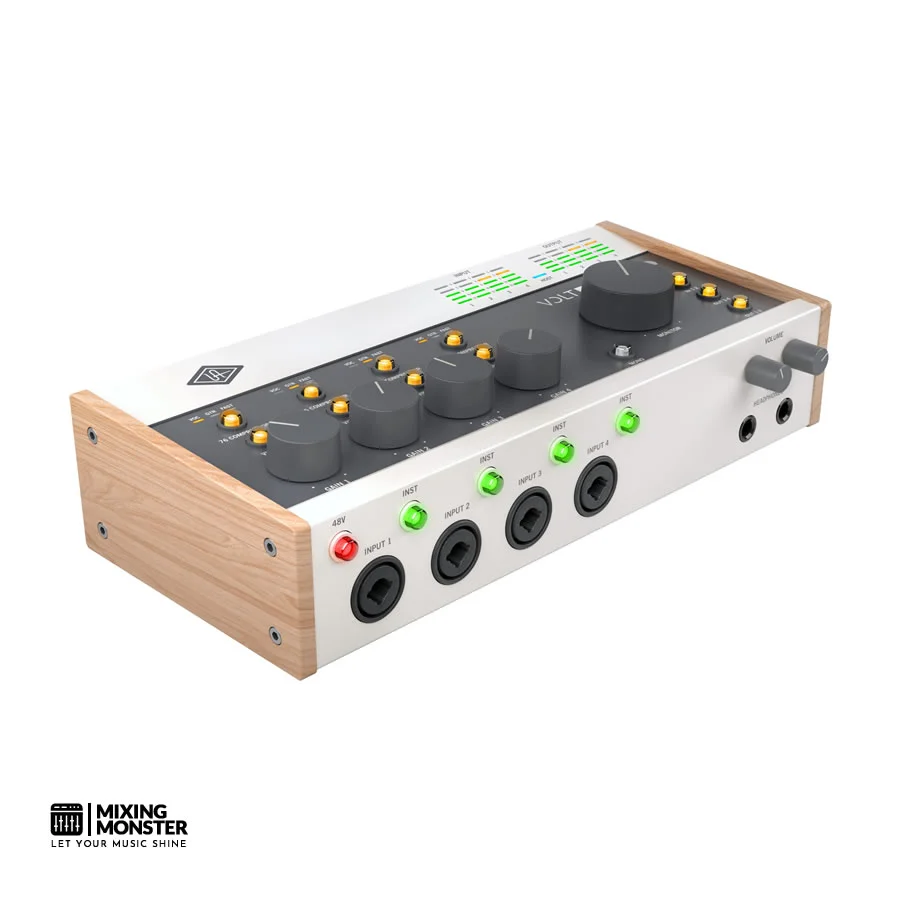
Universal Audio Volt 476P
Best For: Producers Wanting Four Inputs With Built-In Compression And Vintage Analog Processing
Overview
The Universal Audio Volt 476P gives you a 4-in/2-out audio interface that brings together UA's Vintage mode preamp circuitry, four inputs, and—most notably—hardware compressors on every input channel.
UA based these compressors on their legendary 176 tube compressor, so you can shape and control dynamics right at the hardware level before your signal even touches the DAW. If you want analog compression and vintage flavor baked into your recording chain, this thing really stands out.
Pros
- Hardware compressor on all four input channels
- Vintage mode analog circuit on every preamp input
- Four inputs make complex setups a breeze
- Comes with a UAD plugin suite packed with pro tools
- 24-bit/192kHz recording resolution
Cons
- Compressors are a bit limited—no threshold or ratio knobs
- Only two mic preamps, so channels 3/4 are line-level only
- No MIDI I/O
- UAD plugin bundle needs online activation
- Price is on the higher side for the number of inputs/outputs
Unique Selling Point
It's the only interface in its price range that puts hardware compressors—modeled after UA's classic 176 tube compressor—on every input. You get real analog control at the tracking stage, which is pretty rare at this level.
Key Benefits
- Per-Channel Hardware Compression — Those 176-inspired compressor circuits let you tame dynamics on every input before hitting your converters, so your recordings sound smoother and more controlled, and you don't have to fix as much in the mix.
- Vintage Mode on All Inputs — Every input gets the benefit of this analog saturation circuit. Hence, everything you record with the Volt 476P captures that warm, harmonically rich vibe that UA is known for.
- Bundled UAD Professional Plugins — The UAD software suite includes classics like the 1176 compressor emulation, rounding out the hardware's analog strengths with some serious software processing.
Average Price
Review
Universal Audio really carved out a niche with the Volt 476P. We haven't seen a direct competitor pull off this hardware compression and vintage-circuit combo at a similar price.
Four inputs, analog character, and per-channel compression? It genuinely changes how you approach recording. After running it through its paces, we can say it's one of the most inspiring interfaces we've used in a long time.
The hardware compressors are the star of the show and the main reason you'd want the Volt 476P over anything else. UA took inspiration from their classic 176 tube compressor, which shaped a ton of legendary records, and put that DNA right into this box.
When we tracked vocals, hitting the compressor smoothed out the performance in a natural, musical way. It added punch and presence that, honestly, you rarely get from software compressors afterward. Maybe it's just me, but there's something about that real analog squeeze that software still struggles to nail.
Vintage mode works beautifully alongside the hardware compression. Sending a vocal through both at once gave me that rich, glued-together analog sound that usually takes a rack of outboard gear (and a lot more cash) to achieve.
In our sessions, tracks came into the DAW already sounding warm, polished, and halfway mixed—so much less work needed in post-production, which is always welcome.
Having four inputs is genuinely useful, but keep in mind that only two have mic preamps. Channels three and four are line-level, so they're perfect for synths or drum machines. If your setup mixes mics and hardware instruments, this layout makes sense. But if you need four mics at once, you might want to look elsewhere.
Sure, the Volt 476P isn't the cheapest option out there, but honestly, the unique combo of hardware compression, vintage analog processing, and the UAD plugins makes it tough to beat for the price.
If you know the value of analog processing at the recording stage and want that sound without a pile of outboard gear, the Volt 476P is one of the most satisfying and sonically rewarding interfaces you'll find.

Best High-End Audio Interfaces
Black Lion Audio Revolution 6x6
Best For: Audiophile-Grade Conversion And Clocking In A Mid-Range Interface
Overview
The Black Lion Audio Revolution 6x6 is a 6-in/6-out USB-C audio interface built around Black Lion Audio's expertise in professional audio conversion and precision clocking. You might know them for high-end audio mods and clock upgrades for serious studio gear.
Still, here, they've poured that conversion philosophy straight into a purpose-built interface for home and project studio folks who actually care about what hits the DAW. The Revolution 6x6 brings analog-to-digital accuracy and clocking precision that, honestly, most interfaces at this price can't touch.
Pros
- Exceptional AD/DA conversion quality rooted in Black Lion's professional pedigree
- Proprietary PG-i clocking technology for reduced jitter and improved stereo imaging
- 6-in/6-out configuration offers meaningful routing flexibility
- Two high-quality mic preamps with 48V phantom power
- Robust, professional-grade hardware build quality
Cons
- Brand is less widely known than Focusrite or UA, with less community support
- Only two mic preamps despite six inputs
- No hardware DSP or onboard analog processing features
- Limited bundled software compared to competitors
- Higher price relative to I/O count compared to some alternatives
Unique Selling Point
The Black Lion Audio Revolution 6x6 stands alone in its price range—built by a company whose entire reputation comes from precision audio conversion and clocking. You're getting technical expertise in a home studio box that other brands don't offer at this level.
Key Benefits
- Proprietary PG-i Clocking Technology — Black Lion's precision internal clock seriously cuts jitter, giving you better stereo imaging, deeper lows, and a real sense of three-dimensional space. It's the clocking you'd expect from a dedicated master clock, not an interface at this price.
- Audiophile-Grade AD/DA Conversion — Black Lion's years of conversion know-how show up in the Revolution 6x6's converters. You get accuracy and clarity that outshine most interfaces at this price.
- 6-in/6-out Routing Flexibility — Six ins and outs give you the flexibility to run synths, outboard gear, and multiple monitors without having to constantly re-patch. It's a real workflow upgrade for hybrid studios.
Average Price
Review
The Black Lion Audio Revolution 6x6 is probably the most technically-minded interface on the list—a tool made by engineers who live and breathe pro audio conversion and clocking.
Black Lion Audio made its name doing high-end mod work for top-tier studio gear, and you can tell that DNA is baked into this interface. After spending time with it, we can say you really do hear that pedigree.
The clocking tech is where the Revolution 6x6's roots really show. Their PG-i clock cuts jitter to what you'd expect from an expensive external clock, and you can hear the difference if you listen closely.
Stereo tracks sound clearer and deeper than you get from most interfaces—even some that cost more. It's wild how much a solid clock can change your perception of digital audio.
The conversion is just as impressive. Black Lion's attention to detail pays off—recordings sound natural, accurate, and honestly, just easy to work with. There's none of that digital harshness or weird top-end glare you sometimes get with cheaper gear, and the low end feels solid and defined. For this price? It's a standout.
Six ins and outs give you the flexibility to run a hybrid setup—think synths, outboard FX, or a couple of different monitor chains.
The two mic preamps are clean and transparent, maybe even a bit plain if you're after character, but that's the point: they capture what's there and let you shape things later, either with plugins or outboard. If you want color, you'll need to add it yourself, but for many, that's a plus.
If you're the type who cares more about conversion and clocking than about bundled software or flashy features, the Black Lion Audio Revolution 6x6 makes sense. It's a specialist box for people who want to get the technical side right, and it delivers—your recordings will thank you for it.
Focusrite Clarett+ 4Pre
Best For: Professional Home And Project Studio Recording With Thunderbolt-Class Performance
Overview
The Focusrite Clarett+ 4Pre brings premium 8-in/8-out audio interface capability, landing right between home studio and pro-level recording.
With four of Focusrite's top Air-enhanced mic preamps, a much-improved Air mode (now with switchable impedance), and USB-C for super-low latency, it's aimed at producers who want pro results but aren't ready to jump into rackmount territory. This is basically the last stop before you get into Focusrite's Rednet lineup.
Pros
- Four Clarett+ mic preamps with way more dynamic range than the Scarlett series
- Enhanced Air mode with switchable impedance gives you two distinct tonal flavors
- 8-in/8-out via ADAT lets you expand for bigger sessions
- USB-C connectivity keeps latency impressively low
- Sturdy aluminum chassis with a pro feel
Cons
- Costs quite a bit more than the Scarlett range
- USB-C only—no Thunderbolt, even though performance is close
- Expanding with ADAT means you'll need to buy extra gear
- Takes up more desk space than smaller interfaces
- The software bundle is pretty similar to what you get with cheaper Focusrite models
Unique Selling Point
The Clarett+ 4Pre stands out with its enhanced Air mode and switchable impedance—basically, you get two different ISA-inspired sounds per channel. That's a level of preamp flexibility and polish you won't see in the Scarlett line, and it really marks this as a pro-level piece of gear.
Key Benefits
- Enhanced Air Mode with Switchable Impedance — You can flip between two impedance settings in Air mode, which gives you two unique preamp vibes per channel—from clean and detailed to rich and full. That's a ton of flexibility for different mics and recording situations, more than you'll find on any other Focusrite box.
- Professional Clarett+ Preamp Performance — The four Clarett+ preamps offer a dynamic range and noise floor that easily outpace the Scarlett series. You'll get more detail, more headroom, and just a more accurate capture—whatever you're recording.
- ADAT Expansion Capability — The ADAT input lets you hook up an external preamp or expander, bumping your input count to eight or more. So, the Clarett+ 4Pre can totally keep up as your studio grows and your sessions get bigger.
Average Price
Review
The Clarett+ 4Pre sits at the top end of desktop interfaces, and honestly, the price makes sense once you hear what it can do. After spending real time with both this and the Scarlett range, it's clear—the difference in preamp quality isn't subtle. It's obvious, and it really matters for anyone who's pushing their home or project studio to the next level.
Those Clarett+ preamps? That's where most of your money's going, and it's worth it. The extra dynamic range is noticeable, and you hear it right away on things like acoustic guitars and vocals. There's more air, more nuance, and the room's natural vibe comes through. Compared to the Scarlett, the Clarett+ sounds less boxed-in and more open—like you're actually in the space with the performer.
The enhanced Air mode with switchable impedance is honestly a game-changer for folks who know what they're listening to. Unlike Scarlett's one-size-fits-all Air mode, here you get two real choices that make a big difference. In our sessions, the lower impedance setting brought out this warm, lush tone—awesome for ribbons and vocals.
Crank it up, and you get that brighter, more detailed sound that's just right for condenser mics on acoustic instruments or overheads. Not many interfaces at this price give you that kind of control, and it's something you start to rely on once you've used it.
The 8-in/8-out setup, especially with ADAT expansion, gives you all the flexibility you need for bigger sessions. Plug in an 8-channel preamp, and you've suddenly got 12 inputs—enough to mic up a full drum kit, a band, or whatever wild setup you're dreaming up. That kind of scalability means you won't outgrow this thing anytime soon.
Latency is another area where the Clarett+ 4Pre pulls ahead. You can monitor amps and effects in real time through software, which is huge for vocalists and guitarists who want to hear their sound as they play. It's the kind of low-latency performance you used to only get with Thunderbolt, so seeing it on USB-C is pretty impressive.
Is the Clarett+ 4Pre cheap? Not at all. But if you're running a serious home studio, a project space, or want the best desktop preamp performance, it's one of the most capable and future-proof interfaces out there.
It really does bridge the gap between home and pro studios, and once you've tried it, going back feels like a step down.
RME Babyface Pro FS
Best For: Professional-Grade Portable Recording With Rock-Solid Driver Performance And Exceptional Conversion
Overview
The RME Babyface Pro FS packs a ton of professional recording power into a compact, bus-powered USB-C interface. RME, the German company behind it, has earned a reputation for rock-solid drivers, low latency, and stellar conversion.
The Babyface Pro FS features RME's SteadyClock FS femtosecond-precision clocking, the same high-end headphone amp tech as the ADI-2 Pro, and the full-featured TotalMix FX real-time mixing engine. This thing is a go-to for engineers, touring musicians, and producers who can't compromise on performance—even on the road.
Pros
- RME's famously stable drivers—basically no crashes or compatibility headaches, no matter what OS you're on
- SteadyClock FS clocking keeps jitter to a minimum for pristine audio
- Headphone amp tech straight from the ADI-2 Pro—seriously, the headphone output is world-class
- TotalMix FX gives you deep, DSP-powered routing and mixing options
- Feels built to survive anything—solid, road-ready construction
- Ultra-low latency performance, even at low buffer sizes
Cons
- It's pricey—definitely a premium option for a portable interface
- Only two mic preamps, which might feel limiting for the price
- TotalMix FX isn't exactly beginner-friendly; expect a learning curve
- No bundled software, unlike some Focusrite or UA options
- Compact, but not quite as tiny as some ultra-portable interfaces
Unique Selling Point
The RME Babyface Pro FS is the only portable, bus-powered interface that brings together RME's legendary driver stability, ultra-low latency, femtosecond-precision SteadyClock FS clocking, and ADI-2 Pro-grade headphone amp circuitry. If you want technical performance and reliability that other portable interfaces can't quite match, this is it.
Key Benefits
- SteadyClock FS Femtosecond Clocking — RME's SteadyClock FS tech reduces jitter to femtosecond-level precision—honestly, that's pro studio master clock territory, usually reserved for gear way more expensive than this. The result? Better stereo imaging, tighter bass, and a clarity you can actually hear in your recordings.
- ADI-2 Pro Headphone Amplifier Technology — The Babyface Pro FS borrows its headphone output op-amp tech from the ADI-2 Pro, which is a legend in the converter world. You get reference-quality headphone monitoring in a portable package—no need for an external headphone amp, unless you're just into collecting gear.
- TotalMix FX Real-Time Mixing Engine — TotalMix FX is a DSP-powered mixer and routing matrix that lets you set up complex monitoring, effects, and signal paths right on the hardware. It's flexible enough for studio or live use, and honestly, you might never max out what it can do.
Average Price
Review
The RME Babyface Pro FS doesn't really care about flashy marketing—it just delivers real-world, pro-level performance. RME has built its name on making gear that works, keeps working, and, honestly, often outlives your computer. The Babyface Pro FS is a perfect example of that philosophy, squeezed into a surprisingly portable box.
What really sets the Babyface Pro FS apart is its driver performance. RME drivers have a near-mythical reputation among pros for their stability and reliability.
In our hands-on tests on different operating systems and DAWs, the Babyface Pro FS ran without a single hiccup—no dropouts, no glitches, no weird compatibility issues. That's a massive deal if you rely on your interface for live gigs, broadcasts, or any situation where failure isn't an option.
SteadyClock FS clocking brings some real-world, audible improvements thanks to RME's deep expertise in audio timing. The jitter reduction at this level gives your recordings a sense of space and depth that you don't always get with simpler clocking interfaces. We noticed a kind of three-dimensional clarity and a punchy low end that just wasn't there with some other interfaces.
The headphone amp deserves real praise, too. With tech borrowed from the ADI-2 Pro, the Babyface Pro FS drives even tough, high-impedance headphones with ease. The sound is punchy, detailed, and just plain fun to listen to—definitely not what you expect from a bus-powered interface. If you do a lot of mix referencing on headphones, you'll appreciate what this thing can do.
TotalMix FX opens up a world of routing and monitoring possibilities. You can build custom monitor mixes, use onboard DSP effects, and set up pretty complex routing—all without taxing your DAW. Sure, it takes a little time to learn, but once you get it, you won't want to go back to simpler interfaces.
Is the RME Babyface Pro FS for everyone? Probably not. The price is high, the software bundle is pretty much nonexistent, and TotalMix FX isn't the most intuitive thing out there.
But if you're a pro engineer, a serious producer, or a musician who needs the best in driver stability, clocking, and headphone monitoring in a portable format, this is the interface you want. It's a premium buy, but honestly, for what you get, it feels justified.
Arturia AudioFuse Studio
Best For: Feature-Rich Professional Recording With Exceptional I/O Flexibility And Boutique Preamp Quality
Overview
The Arturia AudioFuse Studio is a desktop- and rack-mountable 18-in/22-out USB-C audio interface that delivers an extraordinary combination of I/O flexibility, boutique-quality preamp design, and thoughtful engineering to the professional home and project studio markets.
Developed by Arturia — a company celebrated for their deep understanding of analog synthesis and classic hardware — the AudioFuse Studio features four discrete RevX microphone preamps, an extensive array of analog and digital connectivity options, a built-in talkback microphone, and re-amping capability, all housed in a robust and elegantly designed chassis that can be used both as a desktop unit and mounted in a standard equipment rack.
It is one of the most comprehensively specified interfaces available at its price point.
Pros
- Four discrete RevX microphone preamps with exceptional transparency and headroom
- Extraordinarily comprehensive I/O — 18 inputs and 22 outputs accommodate the most complex studio configurations
- Built-in talkback microphone for professional session communication
- Re-amping output for guitar and bass signal processing workflows
- Dual ADAT optical inputs for significant channel expansion capability
- Rackmountable and desktop-convertible chassis design
- Built-in monitor controller with multiple output switching
Cons
- Large desktop footprint may not suit compact studio setups
- USB-C connectivity only — no Thunderbolt option
- Arturia's control software, while functional, lacks the polish of Focusrite or RME equivalents
- No onboard DSP hardware effects processing
- Higher learning curve due to the complexity and depth of available I/O options
Unique Selling Point
The Arturia AudioFuse Studio is the only interface at its price point to combine four discrete boutique-grade RevX microphone preamps with an 18-in/22-out I/O configuration, built-in talkback, re-amping capability, dual ADAT expansion, and a rackmountable chassis — delivering a level of professional studio functionality and I/O comprehensiveness that no competing interface at this price can match.
Key Benefits
- Four Discrete RevX Microphone Preamps — Arturia's proprietary RevX preamp design delivers a level of transparency, dynamic headroom, and harmonic accuracy that reflects genuine boutique preamp engineering, capturing the full detail and character of any microphone with exceptional fidelity and a musical quality that distinguishes them from the preamps found in most interfaces at this price.
- 18-in/22-out Professional I/O Configuration — The AudioFuse Studio's extraordinary input and output count — including four mic/line inputs, two instrument inputs, dual ADAT optical ports, S/PDIF, and an extensive array of analog outputs — provides the routing flexibility of a professional studio interface at a price that makes it genuinely accessible to serious home and project studio producers.
- Integrated Professional Studio Features — The built-in talkback microphone, re-amping output, monitor controller with multiple output switching, and dual headphone outputs combine to create a complete professional recording studio control center in a single unit, eliminating the need for separate outboard equipment to manage complex recording sessions.
Average Price
Review
The Arturia AudioFuse Studio is a statement product that firmly establishes Arturia as a serious contender in the professional audio interface market. After extensive testing, its combination of features and performance proves genuinely difficult to match at its price point.
The RevX discrete microphone preamps are the sonic heart of the AudioFuse Studio. Typically associated with boutique outboard manufacturers charging hundreds per channel, Arturia has brought this design philosophy to all four preamp channels — delivering a naturalness and transparency that surpass those of competing interfaces at similar and higher price points.
The I/O specification is extraordinary for its price category, with 18 inputs and 22 outputs — expandable to accommodate up to 16 additional digital channels via dual ADAT connections. In testing, managing microphone inputs, outboard hardware, digital sources, and multiple monitor outputs through a single interface was genuinely transformative for complex session management.
Integrated professional features — including a built-in talkback mic, re-amping output, and full monitor controller functionality — add significant practical value without requiring additional hardware. These touches reinforce the AudioFuse Studio's credentials as a complete professional studio management tool.
The AudioFuse Control Center software is comprehensive but less intuitive than Focusrite's or RME's equivalents, requiring a learning investment from new users. Overall, the AudioFuse Studio is one of the most impressive interfaces tested in 2026, reflecting Arturia's deep understanding of what serious recording professionals need.
Universal Audio Apollo Twin X DUO USB HE
Best For: Windows-Compatible Professional Home Studio Recording With UAD Processing
Best Pick In This Section
Overview
The Universal Audio Apollo Twin X DUO USB Heritage Edition is a desktop 2-in/6-out USB audio interface that brings UA's world-class Unison preamp technology, UAD-2 DUO Core DSP processing, and elite-class AD/DA conversion to Windows-based producers — while adding the exceptional value of UA's Heritage Edition plugin bundle, which includes ten of UA's most celebrated vintage hardware emulation titles.
Unlike the Thunderbolt Apollo Twin X, the USB variant opens UA's professional recording ecosystem to the vastly larger Windows producer market, making it one of the most significant and accessible entry points into the UAD platform.
Pros
- USB connectivity provides full compatibility with Windows-based studio computers
- Unison preamp technology physically reconfigures the hardware preamp circuit to model classic preamp designs
- UAD-2 DUO Core DSP engine runs UA's acclaimed plugin library in real time with near-zero latency
- Heritage Edition bundle includes ten premium UAD plugin titles — an exceptional value addition
- Elite-class AD/DA conversion with exceptional dynamic range and ultra-low THD
- Compact desktop form factor suitable for any studio environment
Cons
- USB connectivity, while excellent, does not match Thunderbolt's absolute lowest latency figures
- Only two mic inputs — modest I/O for the price
- UAD plugin library requires significant additional investment beyond the Heritage Edition bundle to exploit fully
- UAD plugins are not transferable or usable on non-UAD systems
- DUO Core DSP, while powerful, has less simultaneous processing headroom than QUAD or HEXA Core variants
Unique Selling Point
The Universal Audio Apollo Twin X DUO USB Heritage Edition is the only USB-connected interface to combine UA's hardware Unison preamp technology — which physically reconfigures the preamp circuit to authentically model classic hardware designs — with a UAD-2 DUO Core DSP engine and a curated Heritage Edition bundle of ten premium vintage plugin titles, bringing the full UAD professional recording ecosystem to Windows producers at an unprecedented value proposition.
Key Benefits
- Unison Preamp Technology — The hardware Unison system physically reconfigures the Apollo's preamp circuit in real time to match the impedance and gain characteristics of specific classic hardware preamps — from vintage Neve and API designs to classic tube circuits — delivering authentic analog preamp emulation that operates at the hardware level before any digital conversion occurs, a capability that is technically impossible to replicate in software alone.
- Heritage Edition Plugin Bundle — The Heritage Edition includes ten of UA's most acclaimed vintage hardware emulation titles — spanning compressors, EQs, channel strips, and tape machines from legendary manufacturers including Teletronix, Fairchild, Pultec, Helios, and UA itself — representing thousands of dollars of professional plugin value included with the interface purchase.
- Windows USB Compatibility — By offering full USB connectivity rather than requiring Thunderbolt, the Apollo Twin X DUO USB Heritage Edition opens UA's professional recording ecosystem — including Unison preamps, UAD DSP processing, and the Heritage Edition plugin suite — to the enormous Windows producer market that was previously unable to access the full Apollo platform experience.
Average Price
Review
The Universal Audio Apollo Twin X DUO USB Heritage Edition is one of the most compelling value propositions in the professional audio interface market. By combining Unison preamp technology, UAD-2 DUO Core DSP processing, elite-class AD/DA conversion, and USB connectivity with the extraordinary Heritage Edition plugin bundle, UA has made the UAD ecosystem more accessible than ever.
USB connectivity is the most strategically significant feature of this variant. Where Thunderbolt compatibility has historically locked most Windows-based producers out of the Apollo ecosystem, the USB connection removes that barrier entirely — and in our testing, delivered excellent latency performance more than sufficient for comfortable real-time monitoring through UAD processing chains.
The Unison preamp technology remains the Apollo platform's most impactful feature, and its implementation here is identical to the Thunderbolt version. Loading a vintage Neve 1073 or API Vision Channel Strip physically reconfigures the hardware preamp circuit's impedance and gain-stage behavior — and in vocal tracking sessions, the sonic transformation was immediately and unmistakably apparent.
The Heritage Edition bundle includes ten UAD titles spanning iconic compressors, EQs, and channel strips from Teletronix, Fairchild, Pultec, Helios, and UA — a collection that would cost thousands individually. For producers entering the UAD ecosystem, it provides an immediately professional plugin suite covering the most essential vintage processing categories.
The UAD-2 DUO Core DSP handles most professional recording scenarios without compromise, though producers running very large sessions may eventually feel its limitations. Overall, the Apollo Twin X DUO USB Heritage Edition is the definitive UAD entry point for Windows-based producers.

Your Song Mixed & Mastered By Mixing Monster


2
What Is An Audio Interface?
An audio interface is a piece of hardware that lets you plug microphones, instruments, and other audio sources into your computer. It turns analog audio signals into digital data that your recording software can handle.
Sure, most computers have a built-in sound card, but those aren't designed for real audio work. Audio interfaces give you way better sound, lower latency, and the right connections—stuff your regular computer audio port can't do.
Key components of an audio interface include:
- Preamps that boost weak microphone signals so you can actually record them
- AD/DA converters to turn analog into digital (and back again)
- Input/output ports like XLR, TRS, and sometimes MIDI
- Monitoring options for headphones and studio monitors
We use audio interfaces for all sorts of things—recording vocals, instruments, podcasts, and music production. They let you capture multiple sources at once, and you get pro-level clarity.
The interface connects to your computer via USB, Thunderbolt, or any other supported connection. Most come with some control software so you can tweak input levels, pick your sample rate, and set up routing.
There's a lot of variety out there. A basic interface might only have two inputs—great for simple setups. Higher-end models can handle 18 or more channels simultaneously.
Audio interfaces help you dodge issues like noise, distortion, and annoying latency. If you're serious about making good audio on your computer, you really do need one.
3
Essential Accessories To Complement Your Audio Interface
Start with good cables—seriously, don't skimp here. XLR cables connect your microphones, while TRS cables handle studio monitors and balanced gear. Keep cable lengths reasonable—long runs mean signal loss and headaches.
A pop filter knocks out those annoying plosives when recording vocals. It's a cheap fix that makes a real difference. If you're pinching pennies, a foam windscreen helps too—even if it looks a bit goofy.
Studio monitors or solid headphones matter for hearing what you're actually recording. Your interface powers both, but start with one you trust. Closed-back headphones are great for tracking; open-back ones usually sound more natural for mixing.
| Accessory Type | Purpose | Priority |
|---|---|---|
| XLR Cables | Microphone connections | High |
| TRS Cables | Monitor connections | High |
| Pop Filter | Vocal recording | Medium |
| Studio Monitors | Accurate playback | High |
| Headphones | Monitoring and mixing | High |
| Microphone Stand | Mic positioning | Medium |
| Desktop Stand | Interface positioning | Low |
A microphone stand keeps your mic where you want it—no more balancing acts. If your desk is a mess, a desktop stand or rack mount for your interface can help keep things tidy.
These are the basics for a solid recording setup. Cables and monitoring come first, then add other gear if your workflow demands it.
Discover Best Audio Gear & Equipment

4
Audio Interface Buying Guide
Shopping for an audio interface? There are a few specs that really shape your recording quality and workflow efficiency.
Input and Output Configuration
Input count is a big deal—it decides how many mics or instruments you can record at once. Solo? One or two is fine. Bands? You'll want four or more. Outputs matter too, especially if you're juggling multiple monitors or outboard gear.
Check your input types. XLRs are for mics; 1/4-inch jacks handle guitars, keys, and other line-level stuff.
Preamp Quality
Preamps boost those faint mic signals up to something usable. Better preamps mean less noise, more detail. Look at things like signal-to-noise ratio and total harmonic distortion—they'll tell you a lot about what you're getting.
Connectivity and Compatibility
| Connection Type | Data Transfer Speed | Latency | Best For |
|---|---|---|---|
| USB 2.0 | Up to 480 Mbps | Moderate | Basic recording |
| USB-C/USB 3.0 | Up to 5 Gbps | Low | Professional work |
| Thunderbolt | Up to 40 Gbps | Very Low | High channel counts |
Double-check that your interface plays nice with your computer and DAW. Nothing's worse than realizing your new gear won't talk to your setup.
Sample Rate and Bit Depth
The sample rate is a measure of how accurately you capture audio frequencies. Usually, 48kHz covers most needs, but if you want to go pro, 96kHz or higher is worth it. Bit depth controls dynamic range—24-bit is pretty much the standard these days.
Monitoring Features
Direct monitoring lets you hear what you're playing in real time—no annoying lag. If you record vocals or play live, you'll want this. Trust us.

5
Finding Your Perfect Audio Interface: Key Takeaways
So, what really matters when picking an audio interface? It all comes down to matching the specs to your real-world recording requirements.
Start with these core considerations:
- Input count: Make sure you have enough for your biggest session.
- Connectivity: USB-C usually strikes the best balance for speed and compatibility.
- Preamp quality: Cleaner gain and less noise always help.
- Sample rate capability: 24-bit/192kHz keeps you covered for years.
Budget matters. Cheaper interfaces ($100-200) get the job done for basics. Mid-range ($200-500) brings better converters and drivers. If you're going pro ($500+), you get top-notch preamps and extra features that really do make a difference.
If you rely on software monitoring, low-latency performance is a must. Direct monitoring skips the lag, but you won't hear effects while tracking. Pick what fits your workflow.
Be honest about your needs. If you're podcasting solo, you don't need a ton of inputs. Drum engineers? Don't skimp on preamps.
Driver stability trumps fancy features every time. Check how well the manufacturer supports your OS. Bad drivers will wreck your sessions, no matter how shiny the box looks.
Physical controls for gain and monitoring are a lifesaver. Dedicated output and headphone knobs make sessions smoother.
Buy for what you'll actually record soon, not what you're dreaming about years down the road.
Best Budget Audio Interfaces
Mackie
Onyx Artist 1.2
Presonus
AudioBox USB 96
Universal Audio
Volt 2
Focusrite
Scarlett 2i2 4th Gen
Audient
iD4 MKII
Best Midrange Audio Interfaces
MOTU
M4
IK Multimedia
AXE I/O Solo
Focusrite
Scarlett 4i4 4th Gen
Solid State Logic
SSL 2+ MKII
Universal Audio
Volt 476P
Best High-End Audio Interfaces
Black Lion Audio
Revolution 6x6
Focusrite
Clarett+ 4Pre
RME
Babyface Pro FS
Arturia
Audiofuse Studio
Universal Audio
Twin X DUO USB HE

Frequently Asked Questions
1
What features should I prioritize when choosing an audio interface for a home studio?
We always look at preamp quality first—it shapes the clarity and noise floor of everything you record. Clean preamps with at least 60dB of gain handle both dynamic mics and quiet sources without adding hiss.
Sample rate and bit depth matter for some workflows. 24-bit/192kHz is future-proof, but honestly, 24-bit/48kHz works for most home setups.
Zero-latency direct monitoring lets you track without annoying delay. Hardware volume controls and headphone outputs with their own level knobs make life easier when you're recording.
2
How many inputs and outputs do I need for recording vocals and instruments?
A 2-input interface covers solo vocals, acoustic guitar, and most one-person setups. You can record a mic and a direct instrument at the same time—no problem.
If you want to record drums or a whole band, you'll need at least 8 inputs. That lets you mic up a drum kit or track several musicians at once.
For outputs, you need a pair for stereo monitoring. Add more if you're running outboard gear or need separate headphone mixes for performers. It depends on how complex your sessions get.
3
Does a more expensive audio interface make a noticeable difference in sound quality and latency?
When you pay more for an interface, you usually get better preamps—less noise, cleaner gain. That really shows up if you're recording something quiet or acoustic, where all those little details matter.
As you move up in price, converter quality improves too, which affects both dynamic range and how accurately it handles frequencies. Cheaper interfaces might give you about 110dB dynamic range; the pricier ones can push 120dB or even more.
But latency? That's a different story. It's mostly about how good the drivers are, not just the price tag. You can find well-designed $200 interfaces that hit under 5ms round-trip latency at normal buffer sizes—pretty much right up there with some of the expensive stuff.
4
Which audio interfaces are most reliable for live performance and stable low-latency monitoring?
Thunderbolt and USB-C interfaces tend to be the go-to for live shows if you want a steady connection. Honestly, we steer clear of USB 2.0 for critical gigs—there are too many chances for dropouts or bandwidth headaches.
If you're hauling your gear around, a metal chassis is a lifesaver. It keeps the guts safe from bumps and the usual road chaos. Rackmount options are great too, since they lock in place and don't slide around in your rig.
Some interfaces have a dedicated DSP for monitoring mixes, so your computer's CPU doesn't get bogged down. That means if your laptop freaks out for a second, your audio won't suddenly glitch or drop out mid-set.
5
What should I look for to ensure an audio interface is compatible with my PC and DAW?
Always double-check that the interface is compatible with your operating system before you buy. Most brands are pretty clear on their sites about which Windows or macOS versions work, and what you need for drivers.
With USB-C and Thunderbolt 3, you need the right ports or a legit adapter. Not every USB-C port supports Thunderbolt, so it's worth checking your computer's specs to make sure everything lines up.
For DAW compatibility, look for ASIO driver support on Windows or Core Audio on Mac. Class-compliant interfaces can work without special drivers, but you may lose a few features compared to using the manufacturer's drivers.
6
How do leading brands compare for driver stability, build quality, and long-term support?
Universal Audio and RME have built solid reputations for driver stability, even as operating systems keep changing. They regularly update their drivers long after launch, so users usually don't have to worry about compatibility headaches when a new OS drops.
Focusrite and PreSonus lean toward sturdy mid-range build quality—especially if you're eyeing their higher-end models with metal chassis. Their driver support is steady for a while, but after about 5-7 years, older interfaces start to lose compatibility with the latest systems. That's just the way it goes sometimes.
MOTU and Antelope Audio like to pack in flexible routing and a bunch of advanced features. Driver updates can feel a bit uneven, though; flagship models usually get the most attention for bug fixes and long-term updates, while some other products might lag.
Related Articles
