


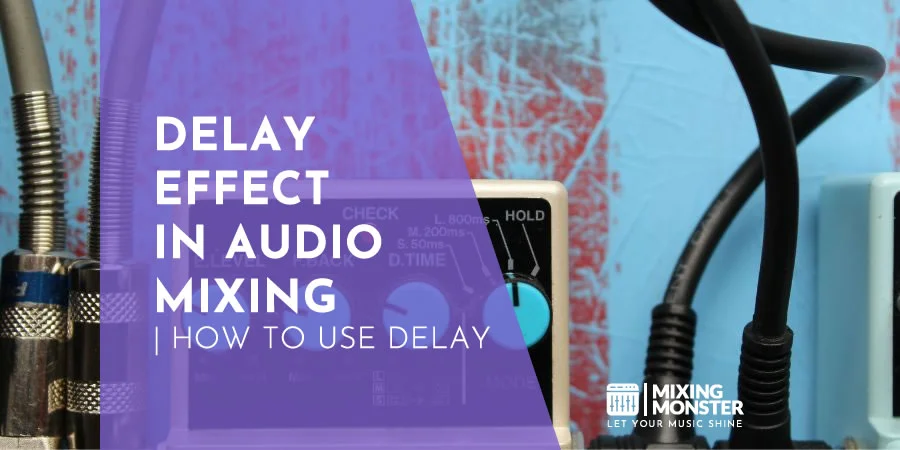



Ever wondered what makes your favorite songs sound so captivating? That spacious, ethereal quality in many tracks comes from a powerful tool called delay. This simple yet versatile audio effect creates everything from subtle depth to dramatic echoes, transforming ordinary sounds into immersive sonic experiences.
Delay is a time-based audio effect that captures the original signal and replays it at set intervals, creating echo-like repetitions. Unlike reverb, which produces a wash of reflections, delay creates distinct repetitions of the original sound that you can precisely control through parameters like time, feedback, and mix level.
Audio engineers typically measure delay time in milliseconds or musical note values, allowing for precise rhythmic synchronization with a track's tempo. The effect can range from subtle doubling that adds dimension to dramatic echoes that create rhythmic patterns.
Whether you're a bedroom producer or professional audio engineer, mastering delay opens creative possibilities for your productions. From adding depth to vocals to creating expansive instrument soundscapes, delay transforms flat recordings into three-dimensional audio experiences.
Throughout this article, we'll explore essential delay parameters, creative applications, and professional techniques to enhance your mixes using this fundamental audio processing effect.
Key Takeaways / TL;DR
- Delay creates distinct sound repetitions with adjustable timing and feedback, from subtle depth to rhythmic patterns.
- Understanding core parameters like delay time, feedback, and mix level is essential for using delay effectively in professional mixes.
- Creative delay techniques can transform ordinary tracks into immersive audio experiences when applied thoughtfully to vocals and instruments.

1
What Is Delay Effect In Audio Production?
Delay is a time-based audio effect that creates echoes by recording an input signal and playing it back after a specific time interval. This fundamental effect has evolved from analog tape machines to sophisticated digital plugins, offering producers various ways to add depth, space, and rhythmic elements to their mixes.
The Fundamental Concept Of Delay
At its core, delay captures the original signal and replays it at set intervals, creating echo-like repetitions. The effect functions by storing incoming audio and reproducing it later, with the time between repetitions measured in milliseconds or note values (quarter notes, eighth notes, etc.).
Delay typically has several key parameters:
- Delay Time: Controls how long before the repeated sound is heard
- Feedback: Determines how many times the signal repeats
- Wet/Dry Mix: Balances the original and processed signals
- Filter: Shapes the tone of the repeated signals
The simplest delay creates a single repeat, while more complex variants can produce multiple, rhythmically timed repetitions that gradually fade away. This creates a sense of space and dimension that wouldn't exist in the dry signal.
How Delay Differs From Reverb
While both delay and reverb create spatial effects, they function differently and serve distinct purposes in audio production. Delay produces discrete, distinct repetitions of the original sound, whereas reverb creates a continuous, diffuse sound field that simulates room reflections.
Reverb mimics how sound waves bounce off multiple surfaces nearly simultaneously, blending into a smooth decay. Delay, conversely, creates clearly defined echoes separated by noticeable time gaps.
Key differences include:
|
Characteristic |
Delay |
Reverb |
|
Sound character |
Distinct repetitions |
Smooth wash of sound |
|
Time perception |
Rhythmic, discrete |
Continuous, blended |
|
Primary use |
Create rhythm, space |
Create environment, ambience |
|
Parameter focus |
Timing, feedback |
Room size, decay time |
Producers often use both effects in tandem—delay for precise rhythmic elements and reverb for general ambiance.
The Evolution Of Delay Technology
Delay effects have undergone remarkable transformation since their inception. The earliest delay techniques involved physical spaces or tape manipulation, with sound engineers recording to magnetic tape and creating feedback loops by routing output signals back into inputs.
The first dedicated delay units were analog magnetic-tape devices, including iconic units like the Echoplex and Roland Space Echo. These machines created warm, slightly degraded repeats that musicians prized for their organic character.
As technology progressed, bucket-brigade devices (BBDs) emerged in the 1970s, using analog integrated circuits to pass the signal through a series of capacitors. This technology enabled smaller stompbox effects pedals while retaining analog warmth.
The digital revolution of the 1980s brought precise, clean delays with longer times and perfect repetitions. Modern digital delays can now emulate vintage units or create entirely new effects impossible with analog technology.
Digital Vs. Analog Delay Characteristics
Digital and analog delay effects produce distinctly different sonic characteristics that influence producers' choices based on the desired sound aesthetic.
Analog delays produce warmer, slightly degraded repetitions because each echo loses information as it passes through the circuitry. This creates natural decay, with high frequencies diminishing first and subsequent echoes sounding darker. The imperfections—subtle distortion, noise, and wobble—often contribute desirable character.
Digital delays offer:
- Pristine, exact reproductions
- Virtually unlimited delay times
- Perfect synchronization to tempo
- Advanced features like reverse delays and pitch shifting
Analog delays provide:
- Warmer, more organic tone
- Natural compression and saturation
- Desirable degradation with each repeat
- Unique character from hardware imperfections
Many modern digital delays incorporate algorithms that simulate analog imperfections, giving producers the flexibility to choose between clinical precision and vintage character within a single effect.

2
Types Of Delay Effects For Modern Mixing
Delay effects serve as essential tools in modern mixing, offering a variety of sonic textures based on three primary technology types: tape, analog, and digital. Each type brings unique characteristics to audio production and can be manipulated in different ways to achieve specific musical goals.
Tape Echo And Vintage Delay Emulations
Tape delay creates warm, organic echoes by recording signals onto magnetic tape and playing them back after the original sound. This type of delay produces natural degradation of repeats, with each successive echo becoming progressively darker and more saturated.
Modern plugins emulate classic units like the Roland Space Echo and Echoplex with impressive accuracy. These emulations capture the wow, flutter, and saturation characteristics that give tape delays their distinctive character.
Engineers often use tape delays to add dimension to vocals, create atmospheric guitar parts, or add subtle depth to drums. Tape delay's imperfections—including slight pitch variations and harmonic distortion—contribute to its musical appeal.
Setting longer delay times with moderate feedback creates those dreamy, ambient textures associated with dub reggae and psychedelic rock. For subtle enhancement, shorter delay times with minimal feedback work well on lead elements without overwhelming the mix.
Digital Delays And Their Precision
Digital delays offer crystal-clear, accurate repetitions with virtually unlimited delay times and perfect fidelity. Unlike their analog counterparts, digital delays maintain consistent sound quality across all echoes.
Modern digital delays feature precise tempo synchronization, letting delay times lock perfectly to a project's BPM. This enables rhythmic effects like dotted eighth notes and triplet patterns that enhance the groove without disrupting timing.
Advanced digital processors include multi-tap functionality, creating complex patterns of discrete echoes at different intervals. This feature lets you create rhythmic motifs or simulate multiple reflections in virtual spaces.
Bit-crushing and sample rate reduction options let producers deliberately degrade repeats for creative effect. These tools can transform pristine digital delays into lo-fi textures reminiscent of early digital hardware or create glitchy artifacts for modern electronic production.
Discover Best Audio Gear & Equipment

Modulated Delays: Chorus, Flanger, And Phaser Relations
Modulated delays apply LFOs (Low-Frequency Oscillators) to delay time parameters, creating movement within the effect. This modulation transforms standard echoes into more complex, evolving textures.
Chorus effects use very short delay times (15-35ms) with subtle modulation to create the impression of multiple instruments playing simultaneously. When applied subtly, they add dimension without obvious repetition.
The flanger effect results from combining a signal with a slightly delayed copy while continuously varying the delay time. This creates distinctive sweeping sounds with pronounced harmonic notches moving through the frequency spectrum.
Phaser effects, while related, use all-pass filters rather than true delays but produce similar psychoacoustic results. By combining modulated delays with filter effects, producers create hybrid textures impossible with traditional equipment.
Innovative Feedback Processing And Granular Effects
Modern delay plugins now incorporate advanced feedback processing, allowing precise control over how signals recirculate. Filter chains within the feedback loop can progressively alter the tone of successive echoes, creating evolving soundscapes.
Granular delay effects slice incoming audio into tiny "grains" that you can manipulate independently. This technique enables radical transformations like reverse delay or pitch-shifting within the delay line itself.
Frequency-dependent delays process different frequency bands with varying delay times. This creates spatial separation between elements within a sound, making instruments appear three-dimensional.
Algorithmic and convolution processes now combine delay with reverb characteristics, blurring the line between time-based effects. These hybrid processors create compelling spaces that evolve, adding depth and movement to static elements in a mix.
3
Essential Delay Parameters Explained
Understanding delay parameters is crucial for creating everything from subtle echoes to complex rhythmic effects. Mastering these settings allows you to shape the character of your delays and integrate them seamlessly into your mix.
Time/Rate Settings And Rhythmic Synchronization
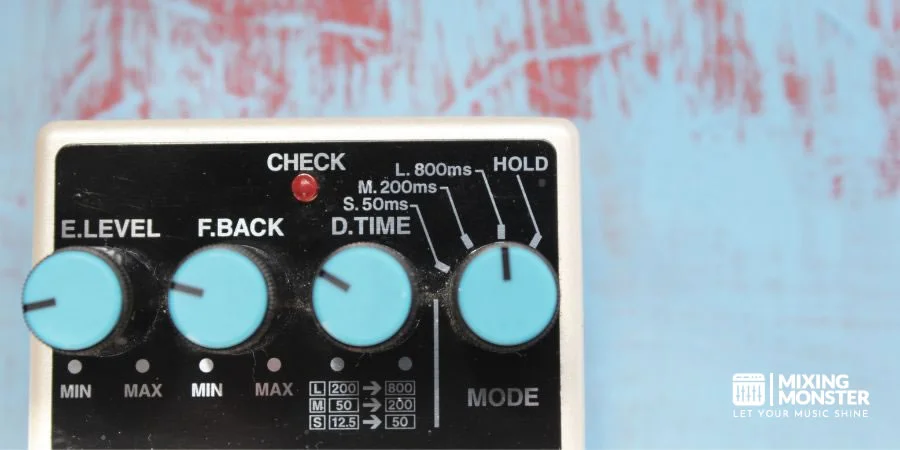
The most fundamental parameter in any delay effect is delay time, typically measured in milliseconds (ms). This setting determines how long the original signal waits before producing its first echo.
Short delay times (20-120ms) create ambiance and thickening effects, while longer delays (120ms+) produce distinct, audible echoes. Most modern delays offer tempo-sync options, letting delay times lock to musical values like quarter notes, eighth notes, or dotted variations.
For rhythmic precision, many delay units include:
- BPM sync: Automatically matches delay time to song tempo
- Tap tempo: Allows manual entry of tempo by tapping a button
- Note divisions: Selects musical note values (¼, ⅛, triplets)
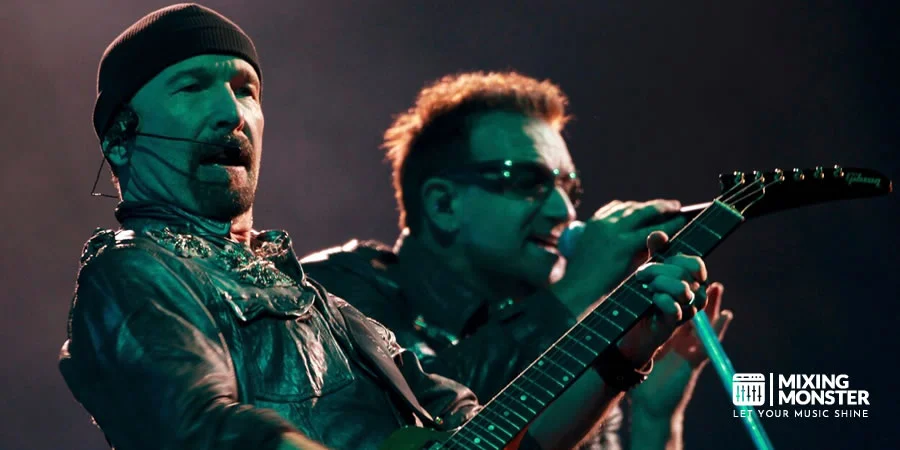
Using dotted eighth-note delays (like The Edge from U2) creates interesting rhythmic interplay against straight rhythms in your performance.
Feedback Controls And Creating Space
Feedback determines how many repetitions occur by feeding the delayed signal back into the input. Low feedback values (5-20%) create just 1-2 echoes, while higher settings (40-70%) produce multiple decaying repeats.
At extreme feedback settings (80%+), delays can cascade into infinite repeats or self-oscillation. You can avoid this or use it intentionally as a special effect when appropriate.
Feedback affects the perceived depth and size of your virtual space:
- Minimal feedback: Creates intimate, close-feeling echoes
- Moderate feedback: Simulates medium-sized rooms or halls
- High feedback: Evokes vast, expansive environments
For natural-sounding reverb-like ambiance, pair short delay times (40-80ms) with moderate feedback. For distinct echoes that don't overwhelm the mix, use longer times with controlled feedback.
Your Song Mixed & Mastered By Mixing Monster


Mix/Wet-Dry Balance For Subtle Integration
The mix parameter balances the wet signal (processed sound) with the dry signal (unprocessed original). This control is essential for determining how prominently the delay effect sits in your overall sound.
A subtle mix (10-30% wet) adds dimension without drawing attention to the effect itself. This works well for lead instruments and vocals that need clarity while still benefiting from spatial enhancement.
Higher wet settings (40-70%) create more obvious delay effects suitable for:
- Featured guitar solos
- Dub-style vocal treatments
- Atmospheric pads and textures
For maximum flexibility, many engineers prefer using delays on auxiliary sends rather than as inserts. This approach lets you control the wet/dry balance independently across multiple tracks while preserving processing efficiency.
Filter And EQ Settings Within Delay
Most quality delay units include high-pass and low-pass filters to shape the tonal character of repeats. These filters prevent muddy buildups and create more natural-sounding decay patterns.
Applying a high-pass filter (around 200-400Hz) to delay repeats keeps low-frequency content from cluttering the mix. Similarly, rolling off high frequencies above 3-5kHz helps echoes sit behind the original sound rather than competing with it.
Many delays offer additional EQ options:
- Damping controls: Progressively filter higher frequencies with each repeat
- Tone controls: Shape the overall frequency profile of delays
- Multi-band feedback: Apply different feedback amounts to specific frequency ranges
For vintage tape echo emulation, combine gentle high-end filtering with slight modulation. For crystalline digital repeats, maintain a full frequency response while placing them carefully in the stereo field.

4
Creative Delay Techniques For Vocals
Delay effects can transform ordinary vocal tracks into captivating performances that stand out in your mix. These techniques provide depth, dimension, and interest while maintaining clarity and preserving the emotional impact of the original performance.

Delay Throws For Vocal Enhancement
Delay throws highlight specific words or phrases by momentarily increasing the delay level at the end of vocal lines. This technique creates dramatic tail effects without cluttering the entire vocal performance. To implement this:
- Set up an auxiliary track with your delay plugin
- Automate the send level to increase only on the final words of phrases
- Use delay times that match your song's tempo (typically quarter or eighth notes)
- Apply high-pass filters around 300Hz to prevent low-frequency buildup
This approach works particularly well for emphasizing emotional high points in choruses or bridge sections. Many engineers use delay throws to create space between vocal phrases while maintaining clarity in dense mixes.
For maximum impact, try adjusting the feedback parameter to control how many repeats occur during these throws. 2-3 repeats usually provide sufficient enhancement without overwhelming the mix.
Doubling And Thickening Techniques
Slapback delays create instant thickness and presence for vocal tracks. This technique involves extremely short delay times with minimal feedback for a doubling effect rather than obvious echoes.
For traditional slapback effects:
- Set delay times between 80-120ms for a classic sound
- Keep feedback at 0-10% for minimal repeats
- Balance the dry/wet mix to taste (typically 15-30% wet)
More subtle applications include using delays to smooth tracks without being obvious. Try staggered micro-delays with slightly different times on left and right channels (e.g., 11ms left, 15ms right) to create width without muddiness.
Experiment with stereo placement by panning one delay slightly left and another slightly right for added dimension. This works exceptionally well on backing vocals or ad libs where you want expansion without drawing attention to the effect itself.
Related Articles

Call-And-Response Effects With Delay
Create interactive dialogue between the lead vocal and its echoes by designing delays that fill gaps between phrases. This technique works especially well in sparse arrangements where there's room for the delays to breathe.
To achieve this effect:
- Set longer delay times (250-500ms)
- Apply moderate feedback (15-30%)
- Use filters to shape tone (try cutting below 200Hz and above 5kHz)
- Consider rhythmic delay patterns that complement your vocal phrasing
For added interest, process the delay signal with different tonal characteristics than the dry vocal. Try adding subtle distortion or modulation to the wet signal for contrast.
Ping-pong delays work particularly well for call-and-response effects, creating a conversational feel between left and right speakers. This approach adds spatial movement that can make a static vocal performance feel more dynamic and engaging.
Automating Delay For Dynamic Arrangements
Automation transforms basic delay effects into evolving elements that respond to your song's arrangement. The key is making deliberate changes to delay parameters at strategic points in your production.
For verse-to-chorus transitions:
- Gradually increase delay feedback as you approach the chorus
- Switch from short, tight delays in verses to longer, more expansive ones in choruses
- Automate filters to open up during key moments
Try applying different delay times to different song sections - quarter notes during verses, dotted eighths during choruses. This creates distinctive sonic environments for each part of your song.
For dramatic buildups, automate the delay feedback to increase gradually over 4-8 bars, creating a swelling effect that intensifies the emotional impact. Just be careful to avoid feedback loops that could overpower your mix.

5
Implementing Delay On Instruments
Delay effects can dramatically transform the sonic characteristics of various instruments when properly implemented. Understanding the specific applications and parameter adjustments for different instrument types will help achieve desired musical outcomes while avoiding common pitfalls.
Guitar Delay Techniques And Applications
Guitarists commonly use delay to create space and dimension in their playing. Slapback delay (80-120ms) adds thickness to clean guitar parts without muddying the sound. For atmospheric textures, longer delays (300-800ms) with multiple repeats work effectively, especially when synchronized to the song's tempo.
Edge-style dotted-eighth delays add rhythmic complexity with moderate feedback (4-6 repeats). This technique works particularly well for arpeggiated playing or sparse chord progressions.
For ambient soundscapes, combine delay with reverb, placing the delay first in the signal chain. Keep the delay mix around 20-30% for subtle enhancement or push to 50% for more pronounced effects.
Digital delays offer pristine repeats while analog or tape emulations introduce progressive darkening with each repeat, often preferred for vintage tones. When recording, capture both dry and wet signals to keep mixing flexible later.
Synthesizer Delay Integration Strategies
Synthesizers benefit tremendously from strategic delay implementation. For lead synths, ping-pong delay creates stereo width and movement without overwhelming the original sound. Setting delay times to 16th or 32nd notes produces rhythmic intricacy for arpeggiated passages.
Filter sweeps on delay repeats can prevent frequency buildup in dense mixes. Many producers use delay instead of reverb on synthesizers to create space without sacrificing clarity.
For pad sounds, longer delays (800ms+) with substantial feedback create evolving textures. Consider automating delay parameters for dynamic transitions between sections.
Synth delay processing works effectively as:
- Send effect (maintaining dry signal integrity)
- Insert effect (for more dramatic transformation)
- Parallel processing (blending wet/dry to taste)
Experiment with modulated delays on synthesizers, where LFOs subtly alter delay time, creating chorus-like effects that add movement and dimension to static sounds.
Drum And Percussion Delay Effects
Delay on drums requires precision to avoid rhythmic confusion. Snare drums particularly benefit from delay effects, with tight slapback (40-80ms) creating thickness without muddying the beat.
Auxiliary percussion elements (bongos, shakers, tambourines) can be enhanced with short delays to create rhythmic interest. Time these delays to subdivision values (1/8, 1/16) of your project tempo.
Dub-style techniques work well on drums:
- Send drum hits to a delay channel
- Apply high-pass filtering to repeats
- Automate feedback for specific hits
- Use distortion on delay repeats
For creative sound design, try reverse delays on percussion hits before significant song transitions. When applying delay to electronic drums, consider shorter pre-delay times than you would on acoustic kits.
Bass And Low-Frequency Delay Considerations
Bass instruments require cautious delay application to maintain mix clarity. Generally, use shorter delay times (under 100ms) and minimal feedback (1-2 repeats) to avoid muddiness and phase issues.
High-pass filter the delay return around 250-300Hz to prevent low-frequency buildup. This keeps the fundamental bass notes tight while adding subtle dimension to the midrange and higher harmonics.
Some producers prefer avoiding delay on bass entirely or using it only during specific song sections where the arrangement is sparse. Alternatively, try 100% wet parallel processing with extreme filtering as a creative effect.
Bass delay effects work effectively when:
- Applied to picked bass for articulation enhancement
- Used on fretless bass for ethereal textures
- Implemented during bass solos or breakdown sections
- Created with mono delays to maintain directional focus
For synthetic bass sounds, consider delay automation that activates only on sustained notes or specific phrases rather than throughout the entire performance.

6
Advanced Delay Strategies For Professional Results
Taking your delay effects to the next level requires specific techniques that separate amateur mixes from professional productions. These approaches enhance spatial awareness, create distinct stereo imaging, address technical issues, and leverage modern technology for optimal results.
Creating Depth And Width In The Mix
Strategic delay can dramatically enhance the perceived depth of your mix. The Haas effect offers a powerful tool for creating width without causing phase problems—typically using delays under 30ms to trick the ear into perceiving a wider soundstage.
For vocals, try using different delay times on each side of the stereo field. A 150ms delay panned left with a 200ms delay panned right creates an immersive dimension that surrounds the listener.
Layering multiple delay types achieves professional depth. Combine a short slap delay (60-120ms) for immediate space with a longer quarter-note delay for rhythmic interest. This technique works exceptionally well on lead instruments and vocals.
To enhance depth perception, EQ your delay returns by filtering more high frequencies for elements you want to push further back in the mix. This mimics natural sound propagation where high frequencies dissipate faster over distance.
Stereo Field Manipulation With Delay
Delay offers powerful stereo field manipulation tools beyond traditional panning. Ping-pong delays that bounce between speakers create dynamic movement that captures listener attention and expands the perceived width of individual elements.
For subtle stereo enhancement, apply micro-delays (5-15ms) to one side of a mono signal. This creates width without the obvious repeating echo effect of traditional delays. This technique works particularly well on rhythm guitars and keyboard parts.
Asymmetrical delay patterns enhance stereo complexity. Try setting your left delay to eighth notes and right delay to dotted eighth notes. This creates an evolving, non-repetitive pattern that adds sophisticated motion to your mix.
Automate delay parameters across the stereo field for dramatic movement. For example, gradually increase the delay feedback on one side during a breakdown section to create tension before returning to the chorus.
Minimizing Comb Filtering And Phase Issues
Comb filtering—that hollow, thin sound resulting from phase interference—represents one of the biggest challenges when using delay. Always check your mix in mono to identify phase problems that might not be apparent in stereo.
Applying high-pass filters to delay returns (typically around 250-300Hz) prevents low-frequency buildup and reduces phase issues. Low frequencies contain more energy and create more noticeable phase problems when delayed signals overlap with the original.
Time-based modulation within your delay can help prevent phase cancellation by constantly shifting the delayed signal. Light chorus or slight pitch modulation on delay returns prevents static waveform alignment that causes cancellation.
For critical elements like lead vocals, consider using sidechain compression on the delay return. This automatically reduces the delayed signal when the original is present, minimizing overlap and potential phase issues.
Delay Compensation In Modern DAWs
Modern DAWs offer sophisticated delay compensation capabilities that automatically adjust for latency introduced by plugins. Understanding these systems helps maintain phase coherence across complex signal paths.
When routing signals to multiple processing chains, verify that all paths stay properly aligned in time. Some vintage-style plugins intentionally introduce latency to model analog behavior—check whether your DAW compensates for it.
For critical timing applications like multi-mic drum recordings, manually verify phase alignment even with automatic compensation. Visual inspection of waveforms and correlation meters helps identify issues that automatic systems might miss.
Zero-latency monitoring becomes essential during recording with delay-heavy mixes. Most DAWs offer dedicated monitoring paths that bypass processing for performers while maintaining effects in the control room mix, preventing confusion from delayed signals during tracking.

7
Popular Delay Plugins And Hardware
The digital audio landscape offers an impressive array of delay processing options for producers and engineers. From vintage-inspired tape echoes to cutting-edge algorithmic devices, today's market provides tools to suit every sonic preference and budget.
Industry-Standard Delay Software Solutions
Soundtoys EchoBoy remains the gold standard for many professional engineers, offering authentic emulations of classic hardware units with flexible modern features. Its extensive preset library and intuitive interface make it accessible for beginners and pros alike.
Native Instruments Replika XT delivers pristine digital delays alongside creative pattern-based effects, making it a versatile choice for electronic producers. Its diffusion network creates unique textural possibilities beyond traditional echoes.
FabFilter Timeless 3 combines powerful filtering with precise delay controls, enabling complex sound design and mixing. The visual feedback and modulation options make it particularly user-friendly.
Valhalla Delay has gained widespread acclaim for its exceptional sound quality and reasonable price point. Many professionals consider it their go-to delay for everyday mixing tasks.
Hardware Delay Units Worth Investing In
The Strymon Timeline represents the pinnacle of modern delay pedals, offering studio-quality algorithms in a pedalboard-friendly format. Its MIDI implementation and preset capabilities make it equally suited for studio and stage use.
For those seeking authentic tape echoes, the Empress TAPE DELAY delivers the warmth and character of vintage units with modern reliability. Its degradation controls let you precisely tailor the "age" of your echoes.
The Eventide H9000 stands as a flagship multi-effects processor with world-class delay algorithms. Though expensive, its processing power and flexibility justify the investment for professional studios.
The Universal Audio Starlight Echo Station combines analog circuit designs with digital control, offering the best of both worlds. Its UAD integration allows seamless transitions between hardware and software workflows.
Free Vs. Premium Delay Processors
Free options like Valhalla Supermassive provide professional-quality ambient delays that rival paid plugins. Its astronomical reverb-delay hybrids create massive soundscapes perfect for film scoring and experimental music.
TAL-Dub offers a simple but effective tape delay emulation at zero cost. While lacking the extensive features of premium options, it delivers authentic dub-style echoes for budget-conscious producers.
Premium plugins justify their cost through deeper feature sets and more authentic emulations. Eventide UltraTap offers complex multi-tap capabilities that most free alternatives can't match.
The difference often lies in:
- CPU efficiency: Premium plugins typically optimize performance
- Support options: Paid products include technical assistance
- Update frequency: Commercial developers maintain compatibility with new systems
Innovative Delay Plugins With Unique Features
Cherry Audio Stardust 201 recreates the legendary Roland Space Echo with unprecedented accuracy. Its spring reverb emulation and tape flutter controls deliver authentic vintage sounds with modern conveniences.
Crystallizer by Sound Toys transforms simple delays into complex granular textures. Its pitch-shifting and reverse capabilities create otherworldly effects perfect for sound design and experimental music.
Unfiltered Audio Sandman Pro introduces disruption modeling that simulates hardware failures, creating glitchy textures impossible with traditional delays. Its five distinct delay algorithms each offer unique sound characteristics.
Output Portal takes delay into new territory with its granular engine and motion controls. Rather than simple echoes, it creates evolving textures that transform the source material into entirely new sounds.
8
Troubleshooting Common Delay Issues
Delay effects can transform your sound, but they often create technical challenges that can derail your mix. Identifying and solving these issues quickly will help maintain your creative flow while achieving professional results.
Fixing Muddy Mixes From Excessive Delay
Too much delay can quickly turn a clean mix into an indistinct wash of sound. The main culprit is often excessive feedback settings that let delays build on themselves indefinitely.
Start by reducing your delay's feedback parameter to below 40% for most applications. This lets you hear the delay without overwhelming the original signal.
Use high-pass filters on your delay returns (around 200-300Hz) to prevent low-frequency buildup that creates mud. Low frequencies tend to mask other elements and consume headroom.
Consider using ducking on your delays so they automatically reduce in volume when the dry signal is present. This creates space for articulation while still maintaining the ambiance when needed.
Never leave delays static throughout an entire track. Automate delay sends to emphasize certain sections and pull back in busy parts where clarity is essential.
Resolving Timing Problems And Rhythmic Conflicts
Delay timing issues often show up as flams or rhythmic confusion that fights your track's groove. These problems can derail an otherwise solid mix.
Use tempo-synced delays whenever possible, setting them to musical subdivisions (quarter notes, eighth notes, etc.) that complement your track's rhythm. For maximum clarity, choose delay times that avoid conflicting with important rhythmic elements.
When working with stereo delays, check your mix in mono to catch potential flanging issues where left and right delays arrive at slightly different times, causing phase problems.
Don't overlook the power of manual delay placement. Sometimes calculating specific millisecond values (rather than tempo-synced values) provides the perfect pocket for certain elements.
For complex rhythmic material, consider using pre-delay before your reverb to separate the direct sound from its ambiance. This helps maintain articulation while still adding space.
Managing CPU Resources With Multiple Delay Instances
Heavy delay processing can quickly tax your system resources, especially when using multiple high-quality delay plugins across numerous tracks.
Create dedicated delay aux sends instead of inserting delay plugins on individual tracks. This approach dramatically reduces CPU usage while giving you centralized control over multiple elements.
Consider bouncing/freezing tracks with complex delay chains once you're satisfied with their settings. This converts CPU-intensive real-time processing into a static audio file.
For live performances or resource-constrained systems, use simpler delay algorithms that demand less processing power. Many plugins offer "eco" or "low CPU" modes that sacrifice some sonic complexity for efficiency.
Monitor your overall system performance regularly when using multiple delay instances. If you notice CPU spikes, identify the most demanding delay plugins and consider alternatives or optimization strategies.
Balancing Delay In Different Listening Environments
Delay effects often translate differently across various playback systems, creating mixing challenges that require careful attention.
Check your delay balances on multiple systems - studio monitors, headphones, car speakers, and consumer devices. Delay tends to be more pronounced on headphones and high-fidelity systems while becoming less noticeable on smaller speakers.
Be especially mindful of delay's interaction with reverb effects. Placing delay before reverb creates a more diffused, spacious effect, while delay after reverb produces more distinct echoes.
When preparing for different listening environments, consider creating alternate mixes with slightly different delay settings. This approach helps ensure your creative intent translates across various playback systems.
Use reference tracks known to translate well across systems to calibrate your delay levels. Pay particular attention to how commercial releases handle delay in similar genres.
9
Key Takeaways For Mastering Delay Effects
Understanding the core delay parameters is essential for effective implementation. Time/rate controls the interval between repetitions, while feedback determines how many echoes occur.
The wet/dry mix balances the processed signal with the original sound. Setting this correctly prevents muddiness in your tracks.
Delay can create width in a mix through the Haas effect. Adding a short delay (5-30ms) panned to the opposite side makes the original signal sound wider.
For creative effects, consider these approaches:
- Throw delays: Apply to specific words or phrases
- Ping-pong delays: Bounce between left and right channels
- Tape/analog emulations: Add warmth and character
Setting up delay as a send effect rather than an insert allows multiple tracks to use the same delay, creating cohesion and saving processing power.
Tempo-synced delays lock to your project's BPM, ensuring rhythmic consistency. Popular settings include quarter notes (1/4), eighth notes (1/8), and dotted eighth notes (1/8D).
Filter controls on delay units help shape the tone of repetitions. High-cut filters tame harsh echoes, while low-cut filters prevent bass buildup.
Remember, delay can add depth and richness to a track, but it should complement rather than overwhelm the original sound.

Frequently Asked Questions
1
How do I properly use a delay effect pedal with my guitar?
To properly use a delay pedal with your guitar, start by placing it in the correct position in your signal chain - typically after distortion pedals but before reverb. This placement helps keep your delayed signal clear.
Experiment with the three primary controls: delay time (the time between repeats), feedback (number of repeats), and mix (balance between dry and wet signals). Begin with subtle settings, like 300-400ms delay time with moderate feedback.
For specific styles, try short delay times (80-120ms) for a doubling effect or longer settings (500ms+) for ambient, spacious sounds. Tap tempo lets you sync the delay to your playing tempo.
2
What distinguishes delay from reverb when applying effects in music production?
Delay creates distinct, separated echoes of your original sound at specific time intervals, while reverb produces a more diffuse wash of sound that simulates acoustic spaces. Delays keep the repeated signal clearer.
Delay timing is precise and often rhythmically tied to the tempo, whereas reverb creates a continuous decay without distinct repetitions. Delay can be measured in milliseconds or note values (quarter notes, eighth notes, etc.).
Delays are often used to create rhythmic patterns, while reverbs are typically used to create spatial dimensions. Many producers use both together, with delay providing definition and reverb adding atmosphere.
3
What are the different types of delay effects available in audio processing?
Analog delays use bucket-brigade devices (BBDs) to create warm, organic echoes with natural degradation of repeats. They're prized for their vintage character and gradual loss of high frequencies in the repeated signals.
Digital delays offer pristine, exact replications of the original signal with longer possible delay times. They can maintain fidelity across multiple repetitions and often include additional features like reverse delay and modulation.
Tape delays (or their digital emulations) replicate the sound of magnetic tape machines, adding saturation, wow, and flutter. Other specialized types include ping-pong delay (alternating between left and right channels), multi-tap delay (multiple repeats at different times), and ducking delay (volume reductions during playing).
4
What is meant by the 'time delay effect' in audio gear?
The time delay effect refers to the core function of delay processors: creating copies of an input signal that play back after a specified amount of time. This time interval can range from a few milliseconds to several seconds.
In technical terms, this involves temporarily storing the audio data and reproducing it after the designated period. The delay time is the most fundamental parameter in delay effects, determining echo timing.
Modern delay units often let you sync the delay time to musical tempo, such as quarter notes or dotted eighth notes, making it easier to create rhythmically complementary effects.
5
Can you explain the concept of 'delayed effect theory' in sound design?
Delayed effect theory in sound design explores how our perception changes when sounds are repeated over time. It considers how timing intervals between repeats create different psychological and musical responses in listeners.
At very short delay times (under 30ms), our brain perceives a single, fuller sound rather than separate echoes – a phenomenon called the Haas effect. As delay times increase, we begin to hear distinct echoes, which can create rhythm, space, or tension.
The theory also examines how feedback paths and filtering in the delay loop can create evolving soundscapes that transform the original signal. These principles apply to everything from EDM production to experimental sound design.
6
How can I achieve an audio delay effect using online tools?
Many digital audio workstations (DAWs) offer free trials with built-in delay effects. Programs like Audacity (free) include delay plugins that allow you to add echoes to pre-recorded audio files.
Browser-based audio effect processors like SoundTrap and BandLab provide delay effects you can apply in real time. These platforms offer parameter adjustments for delay time, feedback, and mix levels similar to professional tools.
For more specialized options, websites like Splice offer rent-to-own plans for professional delay plugins from manufacturers like Soundtoys, Valhalla, and FabFilter that provide more advanced control over your delay effects.