





Ever listened to a podcast where the background noise suddenly disappeared, or wondered how music producers create seamless transitions between songs? The magic behind these audio transformations lies in audio editing, a fundamental process that shapes the sounds we consume daily.
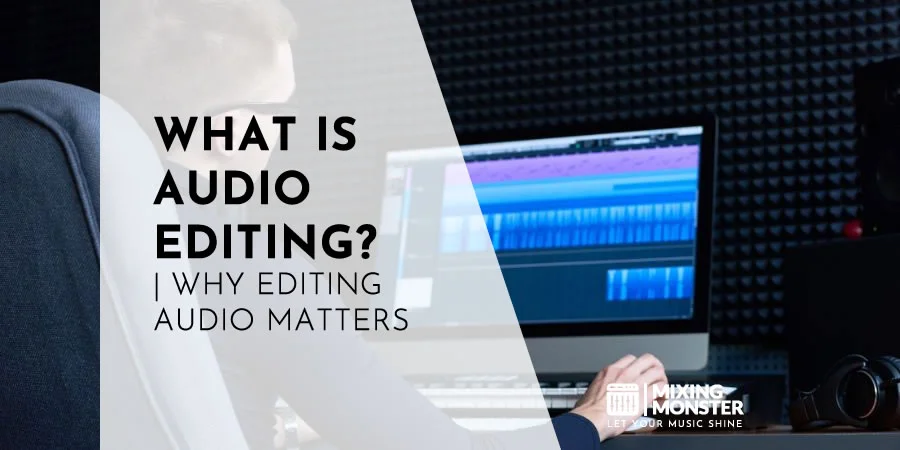
When asking what audio editing is, it is best defined as the process of manipulating recorded sound to achieve a specific desired sonic outcome. This technical craft involves adjusting volume, altering pitch, and removing unwanted noise to achieve a professional result.
Audio editing involves cutting, rearranging, enhancing, and refining audio segments to create a polished final product that meets project requirements.
Professional editors utilize specialized audio editing software equipped with tools for noise reduction, equalization, compression, and various effects to transform raw recordings into clean, cohesive audio experiences that captivate listeners.
Whether you're a musician looking to perfect your latest track, a podcast creator aiming for professional sound quality, or a filmmaker enhancing your production's audio, mastering audio editing techniques opens up creative possibilities that can dramatically elevate your projects.
The difference between amateur and professional-sounding content often comes down to audio editing quality, making it an essential skill in today's content-rich digital landscape.
Key Takeaways / TL;DR
- Audio editing transforms raw recordings into polished, professional sound by manipulating elements like volume, pitch, and unwanted noise.
- Specialized software provides essential tools for cutting, arranging, and enhancing audio to create cohesive final products across various media formats.
- Quality audio editing significantly impacts audience engagement and perception, making it a crucial skill for content creators.
1
What Is Audio Editing: A Comprehensive Definition
Audio editing is the deliberate manipulation of recorded sound to achieve specific results. It involves altering various elements of audio recordings to enhance quality, create effects, or meet creative and technical requirements.
The Fundamental Concept of Audio Editing
Audio editing is the process of modifying recorded sound to create a desired effect or outcome. At its core, it involves manipulating audio files by cutting, trimming, rearranging, and enhancing sound elements.
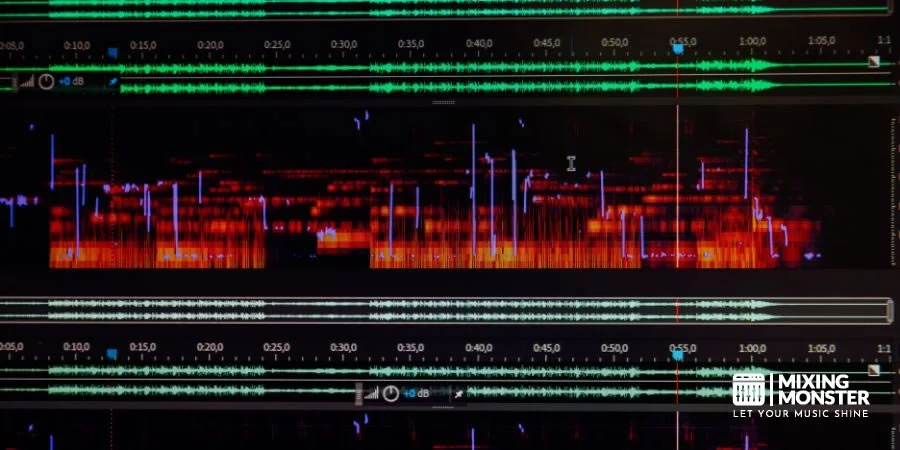
Audio editors work with waveforms—visual representations of sound—to make precise adjustments to volume levels, timing, and pitch. They remove unwanted noises, such as background sounds, clicks, or pops, that detract from the listening experience.
To fully grasp what audio editing is, one must look at modern digital audio workstations (DAWs). These provide tools for everything from basic cuts to complex spectral editing while supporting various audio formats. Understanding how different file types store data is essential for maintaining sound quality throughout the production process.
The fundamental goal remains consistent: to transform raw recordings into polished, professional-sounding audio products.
How Audio Editing Differs From Audio Mixing and Mastering
While often confused, audio editing, mixing, and mastering are distinct stages in audio production:
Audio Editing:
- Focuses on arranging and cleaning individual tracks
- Removes mistakes, unwanted sounds, and silence
- Adjusts timing and creates seamless transitions
- Usually occurs first in the production workflow.
Audio Mixing:
- Balances multiple tracks together
- Applies effects like reverb and compression
- Creates spatial positioning through panning
- Focuses on how elements blend
Audio Mastering:
- Finalizes the entire project for distribution
- Ensures consistency across all tracks
- Optimizes overall volume and frequency balance
- Adds the final polish to make audio ready for release
Each process requires different skills and tools, though they work together to create professional audio products.
Key Terminology Every Audio Editor Should Know
Successful sound editing requires familiarity with essential technical terms:
Waveform: The visual representation of audio that editors manipulate.
Gain: The amplification level of audio, distinct from volume.
EQ (Equalization): Adjusting specific frequency ranges within audio.
Compression: Reducing the dynamic range between loud and quiet sounds.
Normalization: Maximizing amplitude without distortion.
Noise Gate: A tool that silences audio below a certain threshold.
Crossfade: Smooth transition between two audio sections.
Sample Rate: Number of audio samples per second (measured in Hz).
Bit Depth: Resolution quality of digital audio (16-bit, 24-bit, etc.).
Audio Formats: The specific file types used to store sound data. Common examples include uncompressed WAV and AIFF files, as well as compressed MP3, AAC, and FLAC options.
Mastering these terms helps editors communicate effectively and utilize editing tools with greater precision.

2
The Core Purpose of Audio Editing
Audio editing serves as the foundation for creating polished, professional sound in all types of media productions. It transforms raw recordings into refined audio experiences by manipulating various elements to achieve the desired outcome.
Enhancing Sound Quality and Clarity
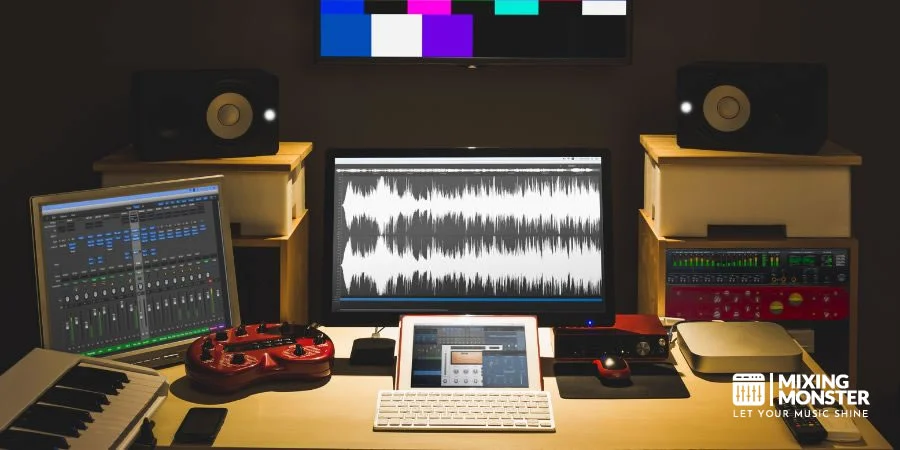
Audio editing aims primarily to improve the overall sound quality of recordings. Editors adjust equalizers to emphasize certain frequencies while reducing others, making voices sound fuller or instruments more distinct. This process often involves boosting specific frequency ranges to enhance clarity or warmth.
Dynamic compression plays a crucial role by reducing the volume difference between the loudest and quietest parts of a recording. This creates a more consistent listening experience and prevents listeners from constantly adjusting volume controls.
Subtle enhancements, such as adding reverb, can create a sense of space in the audio. This technique can make a dry recording sound as if it were captured in various environments, from small rooms to concert halls.
Many professional editors also focus on improving vocal intelligibility, ensuring that spoken content is easily understood by the audience regardless of the listening environment.
Removing Unwanted Noise and Mistakes
Noise reduction techniques target constant background sounds, such as air conditioning hum, computer fans, or electrical interference. Specialized tools analyze and remove these distractions without affecting the primary audio content.
This helps clean the audio and ensure the final product is free of environmental interference. Achieving clean audio is often the priority for editors working on dialogue-heavy projects like podcasts or interviews.
Editing also eliminates unwanted sounds such as coughs, page turns, mouth clicks, and pops. These momentary distractions can be surgically removed or replaced with clean room tone – the natural ambient sound of the recording environment.
Edit points can be concealed by using crossfades to smooth transitions where unwanted content has been removed. This helps maintain a natural flow despite significant edits.
For music production, timing corrections help align off-beat performances. Modern tools can adjust individual notes or drum hits without affecting the surrounding audio, creating tighter performances.
Discover Best Audio Gear & Equipment

Creating Seamless Transitions Between Audio Segments
Effective audio editing uses techniques such as fade-ins and fade-outs to introduce or conclude audio segments smoothly. These gradual volume changes prevent jarring starts and stops that might distract listeners.
Crossfades blend two audio clips by simultaneously decreasing one while increasing the other. This technique is essential for podcast segments, musical transitions, or scene changes in films.
The strategic use of silence creates natural pauses that improve pacing and comprehension. Well-placed moments of quiet give listeners time to process information or build anticipation before new content.
Audio editors also match sonic characteristics between different recording sessions. This ensures consistent sound quality even when recordings were captured under varying conditions or with different equipment.
Adjusting Timing and Pacing for Better Flow
Timing adjustments help maintain audience engagement by shaping the content's rhythm. Editors can compress pauses between sentences in interviews or extend dramatic moments in storytelling.
For music, tempo manipulation changes the speed without affecting pitch. This allows for perfect synchronization with video elements or creates different emotional impacts at different playback speeds.
Beat mapping aligns audio elements to a consistent tempo grid. This technique is particularly valuable for:
- Music production
- Sound effects synchronization
- Creating rhythmic patterns in advertisements
Careful adjustment of ambience levels between segments helps maintain the perception of continuous space. This prevents listeners from noticing edits and creates a more immersive audio experience across the entire production.
3
Essential Audio Editing Techniques for Beginners
Mastering a few fundamental audio editing techniques can significantly improve your projects without requiring advanced knowledge. These essential skills form the foundation for creating professional-sounding audio, even with free software like Audacity.
Basic Cutting, Trimming, and Arrangement Methods
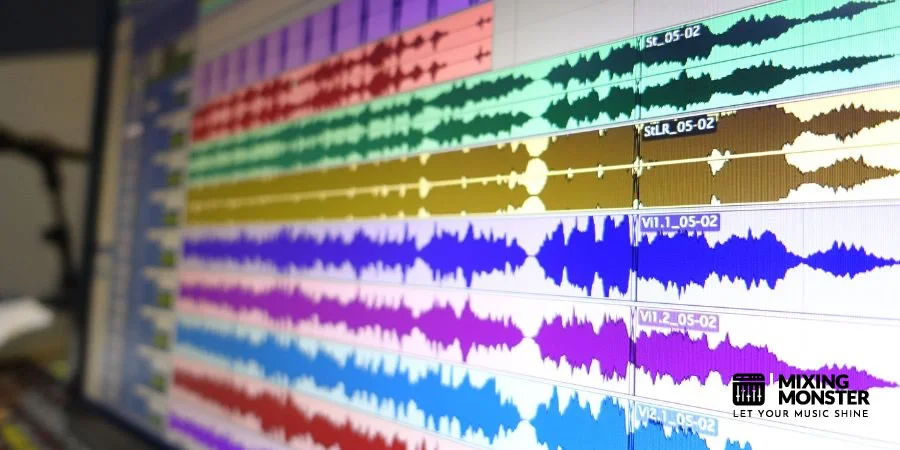
The first skill every beginner should master is manipulating the timeline through cutting and trimming. To start editing, select the portion of audio you want to modify by clicking and dragging across the waveform.
Most editing software offers these basic commands:
- Cut - Removes selected audio and places it on the clipboard
- Delete - Removes audio without saving to the clipboard
- Copy/Paste - Duplicates audio sections for placement elsewhere
- Trim - Keeps only the selected portion and removes everything else
Arranging audio segments in sequences creates your narrative flow. Drag clips along the timeline to position them correctly. Try creating multiple tracks to layer different audio elements, such as voice, music, and sound effects. This allows you to arrange audio in a way that builds a complex and engaging soundscape.
For seamless transitions between clips, use crossfades: one audio segment fades out while another fades in. This technique eliminates jarring cuts and creates natural-sounding transitions.
Understanding Equalization (EQ) and Its Applications
Equalization (EQ) is a powerful tool that adjusts the volume of specific frequency ranges within your audio. Think of it as a sophisticated tone-control system that enhances clarity and balance.
Most EQ plugins feature frequency bands you can adjust:
- Low frequencies (20-250 Hz): Controls bass and rumble
- Mid frequencies (250-4000 Hz): Affects voice intelligibility and most instruments
- High frequencies (4000-20,000 Hz): Manages brightness and air
For voice recordings, try reducing low frequencies around 100-200 Hz to minimize muddiness. A slight boost around 2-3 kHz can improve clarity and presence. Always make subtle adjustments rather than dramatic ones.
When applying EQ, use the "less is more" approach. Cut problematic frequencies rather than boosting excessively. This preserves headroom and creates a more natural sound. Listen carefully after each adjustment to ensure you're improving, not degrading, the audio.
Your Song Mixed & Mastered By Mixing Monster

Noise Reduction and Background Cleanup Techniques
Unwanted background noise can distract listeners from your content. Most editing software includes noise reduction tools that can significantly improve audio clarity without specialized equipment.
The typical noise reduction process works in two steps:
- Sample the noise - Select a portion of audio containing only the background noise
- Apply the effect - The software analyzes the noise profile and removes similar sounds
Be careful not to over-process, as aggressive noise reduction can create artifacts, such as robotic-sounding speech. Start with conservative settings (10-20% reduction) and increase gradually as needed.
For click-and-pop removal, zoom in on the waveform to identify the unwanted clicks and pops. You can either manually delete these glitches or use specialized repair tools that automatically detect and fix them. Room reverb can be minimized with de-reverb plugins when recording in less-than-ideal environments.
Volume Normalization and Compression Basics
Consistent volume levels create a professional listening experience. Normalization and compression are two essential effects for achieving balanced audio.
Normalization adjusts the overall volume so that the loudest peak reaches a target level (typically -3 to -1 dB). This ensures maximum volume without distortion. Apply normalization as one of your final steps to bring your entire project to an optimal level.
Compression reduces the dynamic range by lowering the volume of loud sections while leaving quieter parts untouched. Key compression parameters include:
- Threshold: Sets the volume level where compression begins
- Ratio: Determines how much compression is applied
- Attack/Release: Controls how quickly compression activates and deactivates
For voice recordings, start with a 3:1 ratio and a threshold that captures louder passages. This creates more consistent speech that listeners can easily follow without adjusting their volume controls.
4
Audio Editing Tools and Software
Selecting the right audio editing software is crucial for achieving professional sound quality. The market offers diverse solutions, ranging from simple, free tools to sophisticated, professional-grade software, each with unique capabilities for recording, editing, and manipulating sound.
Free vs. Paid Audio Editing Software Options
Free audio editing software provides essential functionality for beginners and casual users. Audacity stands out as a popular open-source option that offers multi-track editing, noise reduction, and basic effects at no cost. It supports numerous file formats and provides a straightforward interface for basic editing tasks.
Paid solutions like Adobe Audition and Pro Tools deliver professional-grade capabilities with advanced features. These programs offer precision editing tools, extensive effect libraries, and superior sound quality enhancement options. The investment typically ranges from $20-$30/month for subscription services to $200-$600 for perpetual licenses.
The primary differences include:
- Source monitor quality: Paid options offer higher precision monitoring
- Export capabilities: Professional software supports more output formats and quality settings
- Plugin ecosystem: Commercial products often support VST technology and other third-party plugins. These tools allow editors to expand their audio effect library for greater creative control.
- Technical support: Paid options typically include dedicated assistance
Cloud-Based Audio Editing Solutions
Cloud-based audio editing platforms have revolutionized collaborative workflows by enabling real-time editing from any location. Services like Soundtrap and BandLab allow multiple contributors to work on projects simultaneously.
Choosing a reliable online audio editor can streamline your workflow by eliminating the need for heavy local software installations. A modern online audio editor usually provides a suite of tools for basic trimming and applying effects directly in your browser.
These solutions typically store audio files on remote servers and provide access via web browsers or dedicated applications. Most cloud platforms support a wide range of file formats, including MP3, WAV, and AIFF. Some advanced platforms even allow you to export in AAC or FLAC for better compatibility and higher fidelity.
Key advantages include:
- Automatic backup and version history
- Cross-platform compatibility
- Reduced hardware requirements
- Subscription-based pricing models ($9-$20/month)
Many cloud services offer tiered plans with free entry-level options and premium features for subscribers. Storage capacity and export quality typically increase with higher-tier subscriptions.
Related Articles
Mobile Apps for On-the-Go Audio Editing
Mobile audio editing applications have evolved from simple recorders to sophisticated production tools. Apps like GarageBand (iOS), FL Studio Mobile, and AudioLab enable content creators to capture and edit audio directly on smartphones and tablets.
These applications support fundamental editing functions, including trimming, splicing, and applying effects. More advanced mobile editors offer multi-track capabilities, virtual instruments, and direct publishing to podcasting platforms.
Mobile apps particularly excel at:
- Field recording with built-in device microphones
- Quick edits for social media content
- Podcast production on the move
- Voice memo enhancement
Most mobile solutions optimize interfaces for touchscreen interaction with simplified workflows. While they may not replace desktop solutions for complex projects, they offer surprising capabilities for quick edits and audio recording in various environments.
AI-Powered Audio Editing Tools Transforming the Industry
Artificial intelligence is revolutionizing audio editing by automating processes that once required expert knowledge. Modern AI tools can identify and remove background noise, enhance vocal clarity, and even separate instrument tracks from mixed recordings.
Platforms like Descript and Adobe's AI-powered Enhance Speech feature can automatically transcribe audio, remove filler words, and generate realistic voice clones for corrections. These innovations drastically reduce editing time while improving overall quality.
AI capabilities now extend to:
- Automatic leveling and normalization
- Smart noise reduction without artifacts
- Speech-to-text integration for editing via transcript
- Intelligent mastering of professional standards
The technology continues to evolve rapidly, with more sophisticated audio editing software incorporating machine learning algorithms that adapt to user preferences. While AI tools streamline workflows, they work best when combined with human creativity and critical listening skills.

5
Applications of Audio Editing Across Industries
Audio editing technologies have transformed numerous sectors by enhancing sound quality, creating immersive experiences, and enabling precise control over audio elements. The versatility of audio editing tools has made them essential across entertainment, media, and communication fields.
Podcast Production and Broadcasting
Podcast creators rely heavily on audio editing software to deliver polished, professional content. Editors remove unwanted background noise, speech disfluencies (ums, ahs), and awkward pauses to maintain listener engagement.
Key editing techniques in podcast production include:
- Compression and normalization to maintain consistent volume levels
- EQ adjustments to enhance voice clarity and reduce muddiness
- Intro/outro music integration for branding
- Multi-track editing for interviews with multiple participants
Broadcasting professionals use similar techniques but with stricter technical standards. They often work with specialized audio editing tools that enable real-time adjustments and precise timing controls aligned with broadcast schedules.
Radio producers frequently employ sound effects libraries to enhance storytelling and create atmosphere without visual components.
Music Recording and Production
The music industry represents one of the most sophisticated applications of audio editing. Modern digital audio workstations (DAWs) provide producers with unprecedented control over every aspect of a recording.
Music production typically involves:
- Track editing - Trimming, arranging, and aligning musical performances
- Pitch correction - Subtle or creative tuning of vocals and instruments
- Beat quantization - Aligning notes to a precise rhythmic grid
- Sound design - Creating unique tones through synthesis and processing
Engineers use advanced techniques like comping (combining the best parts of multiple takes) and automated mixing to achieve polished results. The ability to manipulate individual elements within a complex arrangement has revolutionized how music is created.
Modern producers also utilize extensive virtual instrument libraries and audio manipulation tools to craft original sounds that would be impossible to create acoustically.
Film and Video Sound Design
Film and video productions use audio editing to create immersive sonic environments that enhance storytelling. Sound designers synchronize dialogue, ambient sounds, and music to match on-screen action precisely.
Critical elements of film audio editing include:
- Dialogue cleaning to remove unwanted noise without affecting voice quality
- Foley artistry - recording and editing everyday sounds to match on-screen movements
- Spatial audio processing to create realistic 3D soundscapes
- Music scoring and soundtrack integration
Post-production audio editors create tension, emotion, and atmosphere through careful manipulation of sound effects. Horror films, for instance, rely heavily on subtle audio cues to build suspense and deliver scares.
Advanced techniques like ADR (Automated Dialogue Replacement) allow editors to re-record dialogue in controlled studio environments when original location audio is compromised.
Audiobook and Voice-Over Production
Audiobook production demands meticulous audio editing to deliver clear, consistent narration that engages listeners for extended periods. Editors focus on maintaining natural speech patterns while removing technical imperfections.
Standard processes include:
- Breath noise reduction without creating unnatural speech patterns
- Mouth click removal using specialized plugins and manual editing
- Consistent pacing adjustments to maintain engagement
- Room tone matching between recording sessions
Voice-over work for commercials, animations, and instructional videos requires precise timing and delivery. Editors often compress dialogue more heavily than in audiobooks to achieve a "broadcast-ready" sound that cuts through background music.
Both industries rely on consistent loudness standards (like LUFS measurements) to ensure audio remains at comfortable levels across different listening environments and platforms.

6
Why Audio Editing Matters More Than Ever
Audio editing has evolved from a technical necessity to a critical component of content creation across all media formats. Today's audiences are increasingly discerning about audio quality, making skilled editing essential for creators who want their message to resonate.
The Rising Expectations for Audio Quality
Modern audiences have developed sophisticated listening standards due to the proliferation of high-quality audio content. Audio editing is no longer just about fixing mistakes but about crafting an immersive experience that meets these elevated expectations.
Streaming platforms have established baseline quality standards that content creators must meet to remain competitive. Even amateur creators are now expected to deliver near-professional audio quality.
The accessibility of professional-grade equipment and software has raised the bar for everyone. What was once acceptable for podcast audio five years ago would now be considered substandard by most listeners.
Consumer audio devices have also improved dramatically, meaning listeners can detect audio flaws more easily than ever before. Poor audio quality immediately signals unprofessionalism and can undermine otherwise valuable content.
How Good Audio Editing Impacts Audience Retention
Studies consistently show that poor audio quality drives listeners away more quickly than almost any other factor. Clean, well-edited audio increases average listening time by up to 35% compared to unedited content.
The human ear is highly sensitive to audio inconsistencies. Sudden volume changes, background noise, and verbal fillers create cognitive distractions that break audience engagement and retention.
Effective editing creates a seamless listening experience that allows audiences to focus on content rather than delivery. This improved focus directly translates into higher completion rates for podcasts, videos, and other audio content.
Dynamic range compression, noise reduction, and proper equalization all contribute to listener comfort during extended sessions. These techniques require proper editing skills but yield significant improvements in audience satisfaction.
Audio's Role in Multi-Platform Content Strategy
Content now lives across multiple platforms simultaneously, making consistent audio quality crucial for brand perception. A YouTube video may be consumed as audio-only on mobile, while podcast clips appear on social media.
Repurposed content relies heavily on adaptable, high-quality audio files. Well-edited audio can be easily converted to different formats without extensive rework.
Cross-platform analytics reveal that audio quality directly impacts sharing metrics and the potential for virality. Content with professional-sounding audio is shared more frequently across platforms.
Integration with emerging technologies like voice search and smart speakers has created new technical requirements for audio. Clean, properly edited audio performs better with AI-driven distribution systems.
Accessibility and Inclusivity Through Quality Audio
Clear audio is an essential accessibility feature for millions of listeners with hearing impairments. Proper editing techniques, such as noise reduction and equalization, make content more accessible to broader audiences.
International audiences often rely more heavily on audio quality when consuming content in non-native languages. Well-edited audio helps bridge language barriers by making speech more intelligible.
Effective audio editing ensures consistent volume levels throughout content, eliminating the frustration of constantly adjusting volume controls. This consideration is particularly important for listeners using hearing assistive devices.
Transcription accuracy for closed captioning depends heavily on audio quality. Clean, well-edited audio produces more accurate automated transcriptions, further enhancing accessibility.

7
Common Audio Editing Challenges and Solutions
Audio editing presents several challenges that can test even experienced producers. From noisy recordings to complex multi-track management, addressing these issues requires both technical knowledge and creative problem-solving skills.
Dealing With Poor Recording Conditions
Poor recording conditions often lead to noise and distortion, which can diminish audio quality. Background noise, room echo, and equipment hum are common culprits that can ruin otherwise good recordings.
Noise-reduction tools such as spectral editing, notch filters, and noise gates can help isolate and remove unwanted sounds. For instance, a notch filter can target and eliminate specific frequency bands where hum or electrical interference occurs.
Room acoustics problems require different approaches. When dealing with echo or reverb, editors can apply de-reverb plugins or use short, strategic fades between clips to minimize acoustic issues.
Prevention tips:
- Record in quiet, acoustically treated spaces
- Use directional microphones to focus on the sound source
- Place foam barriers or blankets to reduce reflections
- Test recording levels before full sessions
Fixing Vocal Issues and Speech Problems
Speech and vocal editing represents one of the most demanding aspects of audio production. Common issues include plosives (p-pops), sibilance (harsh s-sounds), inconsistent volume, and awkward pauses or breaths.
De-essers and pop filters (during recording) help manage harsh consonants. For already recorded content, manual editing of problematic sections often works better than automatic tools.
Pitch correction should be applied subtly. Modern tools allow for natural-sounding adjustments without the robotic effect often associated with heavy processing.
Breath control requires judgment. Sometimes breaths add humanity to recordings, while other times they distract. Editors can:
- Reduce breath volume rather than removing it completely
- Apply consistent breath editing throughout the project
- Use crossfades at edit points to prevent unnatural transitions
- Create automation curves for smooth volume control
Managing Complex Multi-Track Projects
Mixing and mastering become exponentially more complex as track counts increase. Multiple instruments, vocals, and effects require careful organization and processing to maintain clarity and balance.
Organization strategies:
- Color-code similar tracks (drums, vocals, instruments)
- Use folder/group tracks to manage related elements
- Name tracks clearly and consistently
- Create templates for recurring project types
Synchronization issues frequently emerge in multi-track editing, especially when working with video content or multiple recording sessions. Editors can use visual waveform alignment, beat detection tools, or timecode references to ensure perfect sync.
Phase issues between similar recordings must be addressed early. When two microphones capture the same source, their slight timing differences can cause cancellation. Phase alignment tools or manual adjustment of track timing can resolve these problems.
Time Management in Audio Editing Workflows
Efficient audio editing requires structured workflows to prevent endless revisions and editing fatigue. Establishing clear processes saves time and maintains consistency across projects.
Developing proficiency with keyboard shortcuts dramatically speeds up editing. Most professionals create custom shortcut configurations for their most frequent tasks, reducing repetitive mouse movements.
Setting clear session goals prevents scope creep. Before beginning, editors should establish what constitutes "finished" for the current session – whether that's completing dialogue edits, finalizing a mix, or just cleaning up specific tracks.
Regular backup practices protect against catastrophic failures. Implementing automatic saving, versioning, and off-site backups ensures that technical problems don't result in lost work.
Time-saving practices:
- Create and use templates for similar projects
- Develop macro commands for repetitive tasks
- Schedule breaks to maintain critical listening abilities
- Allocate specific time blocks for technical vs. creative tasks
8
Key Takeaways About Audio Editing
Audio editing is the process of manipulating sound recordings to achieve a desired outcome. This can include altering speed, refining length, improving quality, and enhancing volume.
The foundation of good audio editing starts with quality recording. Good recording techniques do wonders for the final product and significantly reduce the time spent on editing.
Using the right tools is essential for effective editing. Professional audio editing software provides capabilities for precise manipulation of sound elements.
The main purposes of audio editing include:
- Removing unwanted sounds and background noise
- Adjusting volume levels for consistency
- Cutting and arranging audio segments
- Adding effects and enhancements
- Improving overall sound quality
Correct volume levels are critical in audio editing. Maintaining consistent volume throughout a recording creates a professional, polished sound.
Audio editing is widely used across industries such as music production, podcasting, film, broadcasting, and advertising. Each field has specific editing techniques tailored to its needs.
As technology evolves, audio editing capabilities continue to advance in 2025, offering more sophisticated tools for both professionals and beginners to create high-quality audio content.
Happy audio editing!

Frequently Asked Questions
1
What are the primary purposes of audio editing in various fields?
Audio editing serves different purposes depending on the industry. In music production, it's used to create desired effects and polish recordings for professional release.
In podcast and radio production, editors remove background noise, adjust levels, and create smooth transitions between segments. This ensures clear communication and maintains listener engagement.
In film and television, audio editing synchronizes sound with visual elements, creates atmosphere through sound design, and balances dialogue with music and effects to deliver optimal viewing experiences.
2
Which software applications are most commonly used for audio editing?
Professional studios often use Digital Audio Workstations (DAWs) like Pro Tools, Logic Pro, and Ableton Live for comprehensive editing capabilities. These platforms offer advanced features for recording, editing, and mixing.
Free and mid-range options include Audacity, GarageBand, and Reaper, which provide effective tools for beginners and intermediate users—these applications balance functionality with accessibility.
Mobile applications like Ferrite and Adobe Audition mobile have gained popularity for on-the-go editing, offering surprising capabilities despite their compact interfaces.
3
How does audio editing enhance the quality of music production?
Audio editing allows producers to correct timing inconsistencies in performances, ensuring tight synchronization between instruments. This precision is particularly crucial in genres requiring rhythmic accuracy.
It enables pitch correction and tuning adjustments, helping vocals and instruments sound harmonious together. Modern tools can subtly enhance performances without creating artificial sounds.
Proper editing also creates dimensional space through reverb, delay, and panning, giving music depth and immersion that enhances the listener's experience.
4
What are the different techniques used in audio editing?
Noise reduction removes unwanted background sounds, hisses, and clicks to create cleaner audio. Modern algorithms can target specific frequencies while preserving the integrity of the original sound.
Compression balances volume levels throughout a recording, making quieter sections louder and preventing louder parts from distorting. This creates a more consistent listening experience.
Equalization (EQ) adjusts specific frequency ranges to enhance clarity, warmth, or presence in the audio. This technique is fundamental for achieving professional-sounding results.
Splicing involves cutting and rearranging audio segments to create the desired flow or structure. This technique is essential for narrative control in podcasts and music arrangement.
5
Why is an understanding of audio meters crucial in editing?
Audio meters provide visual feedback about volume levels, helping editors prevent distortion and maintain appropriate loudness standards. Different meters measure different aspects of audio signals.
Understanding how to read peak meters prevents clipping, which causes irreversible damage to audio quality. This knowledge ensures technical compliance with broadcast requirements.
RMS and LUFS meters help editors achieve balanced loudness across entire productions, which is particularly important for streaming platforms that normalize audio to specific standards.
6
How do different audio formats impact the final result?
Selecting the right audio formats is vital for balancing sound quality and file size. While WAV and AIFF are standard for professional recording and editing, formats like FLAC provide lossless compression, and MP3MP3 or AAC are ideal for digital streaming.
Related Articles
You Might Also Be Interested In