





Mix automation transforms static recordings into dynamic, professional-sounding productions that captivate listeners from start to finish.
Mix automation allows digital audio workstations to automatically adjust parameters like volume, panning, and effects over time, giving engineers precise control over every sonic detail throughout a song. This essential technique replaced the old analog method, where a mixing engineer or multiple staff had to move faders on a mixing console during playback manually.
Modern systems provide level automation and precise parameter control without physical limitations. Modern DAWs enable unlimited automation of virtually any parameter, from basic volume adjustments to complex plugin manipulations. Mix automation serves both practical and creative purposes, allowing producers to solve balance issues while adding artistic movement and expression to their tracks.
This comprehensive guide explores everything from fundamental volume automation to advanced creative techniques that separate amateur mixes from professional releases.
Discover genre-specific approaches, workflow optimization strategies, and industry best practices. Whether automating subtle vocal rides or creating dramatic filter sweeps, these techniques give you the tools to craft engaging, polished mixes that compete with commercial releases.
Key Takeaways / TL;DR
- Mix automation enables DAWs to automatically control volume, panning, effects, and other parameters with precise timing throughout a song.
- Volume automation creates dynamic balance, while effects automation adds creative movement and spatial interest to static elements.
- Professional automation workflows combine practical problem-solving with artistic expression to achieve commercially competitive mix quality.

1
Mix Automation Fundamentals And Core Concepts
Mix automation enables precise control over audio parameters throughout a song's timeline. Recording mix adjustments over time replaces static settings with dynamic changes that respond to the musical content.
Understanding Mix Automation Basics
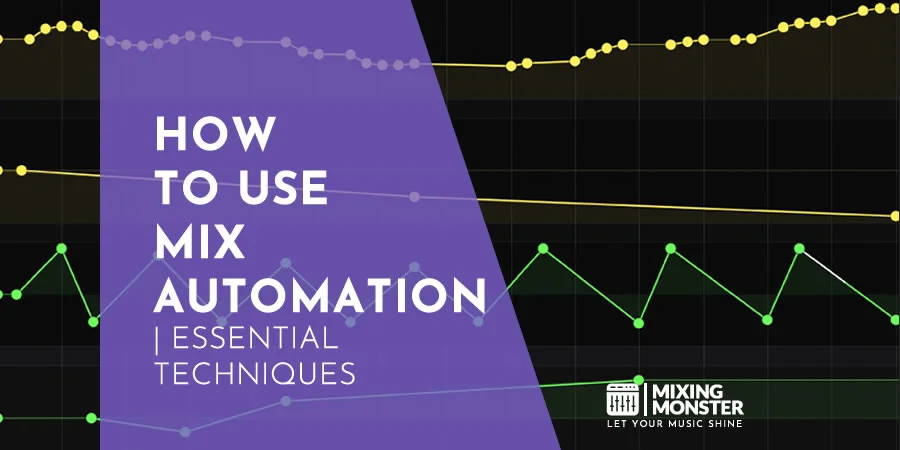
Mix automation records parameter changes as data points along a timeline. This process captures movements made to faders, knobs, and controls during playback or through manual drawing.
The system creates curves representing value changes. Drawing automation directly on the timeline allows surgical adjustments that would be impossible to make live.
Volume automation adjusts levels throughout a song. Panning automation moves sounds across the stereo field. Effects automation modifies plugin parameters like reverb send levels or filter cutoff frequencies.
Automation gives control over more parameters, resulting in more complex mixes. Engineers use it for both technical corrections and creative enhancements.
The system operates independently of real-time adjustments. Once recorded, automation data plays back consistently without manual intervention.
Types Of Automation Parameters
Level Control Parameters:
- Volume faders
- Gain controls
- Send levels
- Return levels
Spatial Parameters:
- Pan position
- Stereo width
- Surround placement
Time-Based Effects:
- Reverb parameters
- Delay settings
- Chorus depth and rate
Balancing your mix, controlling virtual instruments, and adding dynamic touches like filters, build-ups, and pan sweeps represent common automation applications.
EQ Parameters include frequency bands, gain amounts, and Q values. Dynamics Parameters cover compressor thresholds, attack times, and release settings.
Filter Parameters automate cutoff frequencies and resonance amounts. Modulation Effects control LFO rates, depths, and feedback amounts.
Each parameter type serves different mixing purposes. Volume automation maintains consistent levels. Effects automation creates movement and interest.
Automation Modes And Writing Techniques
|
Mode |
Function |
Best For |
|
Read |
Plays existing automation |
Final playback |
|
Write |
Overwrites all automation |
Initial passes |
|
Touch |
Records when touching controls |
Selective edits |
|
Latch |
Records after touching until stop |
Extended changes |
Write mode captures every movement during playback. This mode completely overwrites existing automation data.
Touch mode records only when you're actively moving a control. It preserves existing automation when hands are off the controls.
Latch mode starts recording when you touch a control. Recording continues until playback stops or another mode engages.
Automation modes like write, touch, and latch provide different workflow approaches. Touch mode offers the most precision for editing existing automation.
Manual drawing creates automation points with mouse clicks. This technique provides exact timing and value control.
Setting Up Your DAW For Effective Automation
Most DAWs display automation lanes below audio tracks. These lanes show parameter curves and control points visually.
Enable automation writing by selecting the appropriate mode for each track. Set up key commands to switch quickly between automation modes.
Configure control surfaces to write automation in real-time. Physical faders feel more natural than mouse movements.
Set up automation grouping for related tracks. Drum kit automation often benefits from grouped control across multiple microphones.
Adjust automation curve resolution in DAW preferences. Higher resolution captures more detailed movements but increases file size.
Create automation snapshots before major changes. This practice lets you quickly return to previous automation states.
Use automation folders to organize complex projects—group related automation data for easier navigation and editing.

2
Volume Automation Strategies For Dynamic Control
Strategic volume automation techniques enable precise control over mix dynamics through targeted vocal processing, instrumental balance adjustments, natural gain staging, and professional volume riding workflows. These approaches transform static mixes into engaging, professionally balanced productions.
Vocal Automation Techniques For Clarity
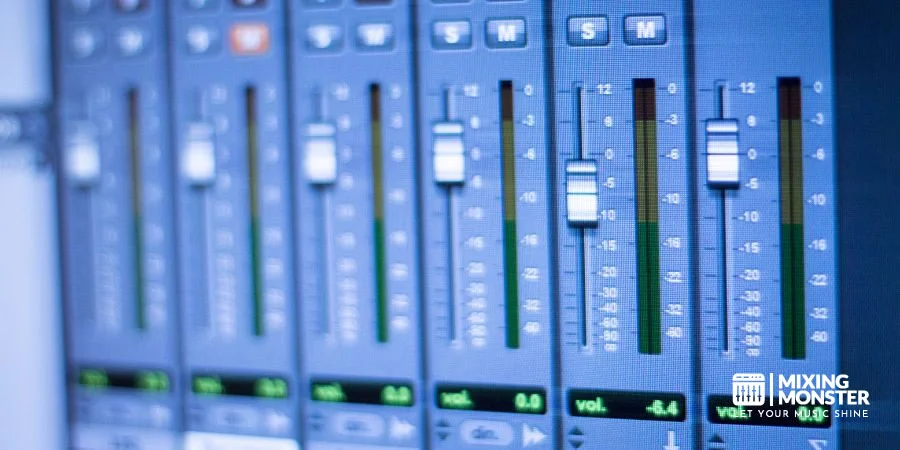
Automating vocal levels for clarity requires systematic adjustments that maintain consistent presence across varying musical arrangements. Engineers typically boost softer vocal phrases by 2-3 dB while reducing louder sections to achieve natural dynamic balance.
Touch mode automation provides the most precise control for vocal level adjustments. This approach allows engineers to ride the fader only during active movements, capturing natural performance nuances without overwriting existing automation data.
Pre-fader gain staging proves essential before applying vocal automation. Consistent input levels prevent compressors and EQs from responding unpredictably to volume changes throughout the signal chain.
Key vocal automation strategies include:
- Boosting verse levels by 1-2 dB to match chorus intensity
- Reducing vocal volume during instrumental solos by 0.5-1 dB
- Creating smooth fade-ins and fade-outs between vocal phrases
- Balancing doubled vocals with 1-2 dB level differences
Precise curves prevent abrupt transitions. Drawing automation with the pencil tool ensures natural-sounding changes that support the performance.
Instrumental Balance And Movement
Dynamic mix automation maintains instrumental clarity by strategically adjusting competing frequency ranges and creating space for lead elements. This process involves systematic level adjustments that respond to changes in the musical arrangement.
Rhythm instruments benefit from subtle 1-2 dB reductions during vocal-heavy sections. This approach maintains the instrumental foundation while preventing frequency masking that obscures vocal clarity.
Bus automation offers efficient control over grouped instruments. Engineers can adjust entire drum submixes or backing vocal groups simultaneously, maintaining internal balance while creating overall dynamic movement.
Lead instruments require opposite treatment, receiving 2-3 dB boosts during solo sections and subtle reductions when supporting other elements. This creates natural musical conversations between different instrumental voices.
Effective instrumental automation includes:
- Reducing bass guitar levels during kick drum hits
- Boosting lead guitar during solo sections
- Lowering pad levels during busy vocal passages
- Increasing percussion during build-ups and transitions
Stereo field considerations enhance instrumental automation effectiveness. Panning automation combined with volume changes creates three-dimensional movement that keeps listeners engaged throughout the mix.
Discover Best Audio Gear & Equipment

Creating Natural Dynamics With Gain Automation
Clip gain and volume automation serve different mixing purposes: clip gain handles corrective adjustments, while volume automation provides creative dynamic control. This dual-layer approach ensures clean signal flow and professional results.
Clip gain automation addresses source material inconsistencies before signal processing. Engineers use this technique to level out extreme peaks and quiet sections, creating consistent input levels for downstream processors.
Volume automation occurs post-fader, allowing dynamic responses to the complete mix context. This positioning enables creative level changes that interact naturally with reverbs, delays, and other time-based effects.
Gain plugin automation adds flexibility between clip gain and fader automation. This intermediate stage handles larger dynamic changes while preserving fader automation for subtle musical adjustments.
Natural gain automation workflow:
- Clip gain: Correct source level inconsistencies
- Gain plugin: Handle broad dynamic changes
- Fader automation: Apply musical level adjustments
- Post-fader effects: Respond to automated levels naturally
Metering tools monitor gain stages throughout the automation process. Consistent levels prevent overloading processors while maintaining adequate headroom for dynamic range expression.
Advanced Volume Riding Workflows
Professional automation modes in DAWs enable efficient volume-riding workflows that capture natural musical expression while maintaining precise editing control. Understanding mode selection optimizes automation recording and editing processes.
Write mode completely overwrites existing automation data, making it suitable for initial automation passes or complete reworks. Engineers use this mode cautiously because it's destructive.
Latch mode holds fader positions until playback stops, enabling smooth long-term adjustments like gradual build-ups or extended fade-outs. This mode excels at capturing sweeping dynamic changes across multiple measures.
Touch mode records automation only during active fader movement, preserving existing automation between adjustment points. This precision makes it ideal for spot corrections and detailed level refinements.
Advanced workflow techniques:
- Rehearsal mode: Practice automation moves before recording
- Trim automation: Make relative adjustments to existing data
- Automation lanes: Visual editing of control point curves
- Grouped automation: Simultaneous multi-track level control
Professional engineers combine multiple automation passes using different modes. Initial passes capture broad dynamic movements, while subsequent passes add detailed corrections and musical refinements to achieve polished results.
3
Panning Automation For Spatial Movement
Panning automation creates dynamic movement within the stereo field by shifting audio sources between left and right speakers over time. Engineers use precise automation curves and specialized plugins to craft three-dimensional soundscapes that enhance listener engagement and spatial awareness.
Creating Width And Stereo Interest
Static panning creates flat, lifeless mixes that fail to engage listeners. Dynamic panning automation adds depth, width, and immersive three-dimensional qualities to productions.
Subtle Width Enhancement Techniques:
- Gentle sweeps on pad sounds from 20% left to 20% right
- Percussion elements alternating between 40% positions
- Vocal doubles moving in opposite directions during choruses
Engineers often automate synthesizer arpeggios and melodic elements. A slow left-to-right pan throughout an eight-bar section creates natural movement without drawing attention away from lead vocals.
Frequency-Based Panning Strategies:
|
Frequency Range |
Typical Pan Movement |
Effect Purpose |
|
High frequencies (8kHz+) |
Wide sweeps (80% L/R) |
Air and sparkle |
|
Mid frequencies (200Hz-2kHz) |
Moderate movement (40% L/R) |
Melodic interest |
|
Low frequencies (below 100Hz) |
Minimal or centered |
Foundation stability |
Multiband panning control lets you automate different frequency ranges separately, enabling targeted stereo enhancement. This technique keeps bass frequencies powerful while maintaining exciting movement in higher registers.
Automating Pan Positions For Drama
Dramatic panning automation serves specific compositional purposes during key musical moments. Engineers time pan movements to coincide with song structure changes, creating anticipation and release.
Pre-Chorus Build Techniques:
- Gradually pan lead vocals from center to 30% right
- Move counter-melodies from wide positions toward center
- Automate stereo delays to collapse inward before chorus hits
The most effective dramatic panning occurs during transitions between song sections. A guitar part might sweep from hard left to center during the final bar before a chorus, creating momentum and drawing attention to the arrangement change.
Breakdown and Drop Applications: Electronic music producers frequently use extreme panning automation during breakdowns. Specialized autopan plugins offer LFO-driven movement with tempo synchronization for precise rhythmic effects.
Vocal Automation Strategies:
- Lead vocals: Slight movement during instrumental sections
- Backing vocals: Wide sweeps during ad-libs and runs
- Vocal throws: Hard left/right positioning for emphasis
Strategic automation creates focal points within arrangements. When multiple elements compete for attention, panning automation guides the listener's ear toward the most important musical content at each moment.
Your Song Mixed & Mastered By Mixing Monster


Binaural And 3D Panning Techniques
Traditional stereo panning operates on a left-right axis, but modern techniques create height and depth perception. Three-dimensional panning plugins like Waves Brauer Motion utilize spherical positioning rather than simple left-right movement.
Binaural Processing Methods:
- HRTF filtering simulates head-related transfer functions
- Crossfeed adjustment mimics natural hearing patterns
- Phase relationships create phantom center positioning
Psychoacoustic Haas techniques blend conventional panning with delay-based positioning. Short delays between left and right channels create perceived movement without traditional pan pot automation.
Immersive Audio Applications:
|
Technique |
Time Delay |
Perceived Effect |
|
Haas effect |
5-35ms |
Directional shift |
|
Echo panning |
50-100ms |
Spatial depth |
|
Chorus panning |
Modulated |
Movement width |
Envelope followers respond to audio dynamics, creating reactive panning based on musical content. Drums can trigger automatic pan movements, making the stereo field respond naturally to rhythmic patterns.
Virtual Surround Implementation: Headphone-based productions benefit from binaural processing algorithms. These techniques simulate speaker positioning around the listener's head, creating convincing surround effects through stereo outputs.
Stereo Field Management Strategies
Effective stereo field management prevents frequency masking and maintains mix clarity. Engineers assign panning based on an instrument's frequency content and musical importance.
Fundamental Positioning Rules:
- Bass instruments remain centered below 100Hz
- Lead elements occupy central 40% of stereo field
- Supporting parts utilize outer 60% positions
Bass bypass features in modern panning plugins automatically keep low frequencies centered while allowing high-frequency content to move freely. This prevents loss of low-end power during automated panning sequences.
Correlation Monitoring:
Engineers use phase correlation meters to ensure panning automation doesn't create mono compatibility issues. Excessive width or poorly timed automation can cause phase cancellation when summed to mono.
Dynamic Range Considerations:
- Quiet sections: Wider panning creates intimacy
- Loud sections: Narrower panning maintains impact
- Transitional moments: Automated width changes support dynamics
Professional mixing automation involves drawing precise curves in dedicated DAW lanes to control panning movements. Sample-accurate timing ensures panning changes align perfectly with musical events.
Mix Bus Processing: Stereo bus automation affects the entire mix's width characteristics. Subtle automation on mix bus stereo enhancement plugins creates breathing and movement across complete arrangements without disrupting individual instrument positioning.
4
Effects Automation For Creative Expression
Effects automation allows producers to control reverb sends, delay feedback, and filter parameters to create dynamic movement throughout their tracks. Advanced automation techniques can transform static mixes into living, breathing compositions that evolve and respond to musical phrases.
Reverb And Delay Parameter Automation
Reverb Send Automation creates dramatic spatial effects by temporarily increasing reverb levels on specific elements. Producers typically automate send levels from 0% to 60-80% on snare hits or vocal phrases before drops.
The technique works best with longer decay times between 4-6 seconds. Pre-delay settings of 60-80ms keep the original sound clear while the tail blooms afterward.
Delay Feedback Control builds tension through controlled chaos. Automating delay feedback from 15% to 85% before drops creates escalating echoes that resolve when the section hits.
Producers can automate delay time simultaneously, shifting from 1/8 notes to 1/4 notes during builds. This creates rhythmic variation while maintaining musical coherence.
Freeze Effects provide sudden impact moments. Automating reverb freeze parameters creates sustained ambient washes that can bridge sections or create dramatic pauses in the arrangement.
Filter Sweeps And EQ Automation
Low-pass filter sweeps remain the most common transition technique in electronic music. Automating cutoff frequencies from 300Hz to 18kHz over 8-16 bars creates building tension before drops.
Adding resonance automation between 2.5-4.5dB intensifies the sweep effect. The resonance peak emphasizes the cutoff frequency, creating a whistling effect that draws listener attention.
High-Pass Sweeps remove low-end content gradually, making drops hit harder when the filter opens. Starting at 20Hz and sweeping to 200-400Hz maintains vocal clarity while building anticipation.
EQ Point Automation provides surgical frequency control during different song sections. Producers can automate high-shelf boosts at 8kHz (+2.5dB) during choruses to make vocals cut through dense arrangements.
Dynamic EQ automation targets specific frequency ranges only when needed. Automating narrow notches at problem frequencies like 300Hz reduces masking between competing elements without permanent tone changes.
Related Articles

Modulation Effects Movement
Chorus Depth Control adds width variation throughout arrangements. Automating chorus depth from 20% during verses to 60% during choruses creates spatial contrast without overwhelming the mix.
Rate automation between 0.5 Hz and 2 Hz provides subtle movement changes. Faster rates create more obvious modulation, while slower rates add gentle width enhancement.
Flanger Feedback creates jet-like sweeps when automated from 10% to 70% over short periods. The effect works particularly well on drum fills or transition elements between song sections.
Phaser Automation shifts the harmonic content of sounds dynamically. Automating phaser rate and depth together creates evolving textures that maintain interest throughout longer sections.
Tremolo Control provides rhythmic amplitude modulation. Automating tremolo depth in sync with musical phrases creates pulsing effects that enhance groove and add vintage character to modern productions.
Creative Effects Processing Automation
Distortion Drive Automation adds controlled harmonic saturation. Automating drive parameters from clean settings to moderate saturation during choruses increases perceived loudness and energy.
Bitcrusher automation reduces sample rate and bit depth for lo-fi effects. Automating these parameters creates digital artifacts that can emphasize drops or create nostalgic textures.
Gate Threshold Control creates rhythmic stuttering effects. Automating gate thresholds in sync with musical patterns produces glitch-style cuts that add modern electronic flavor to any source material.
Pitch Shifter Automation transforms vocal and instrumental phrases. Small pitch variations of ±3-7 cents add subtle detuning effects, while larger shifts create dramatic character changes.
Formant automation on vocals changes perceived gender and age characteristics without affecting pitch. This technique creates robot-like effects or helps vocals sit better in dense mixes by adjusting the frequency spectrum.

5
Advanced Mix Automation Workflows
Professional mixing requires sophisticated automation strategies that go beyond basic volume rides. These advanced workflows streamline repetitive tasks and ensure consistent results across multiple projects.
Automation Grouping And Linking
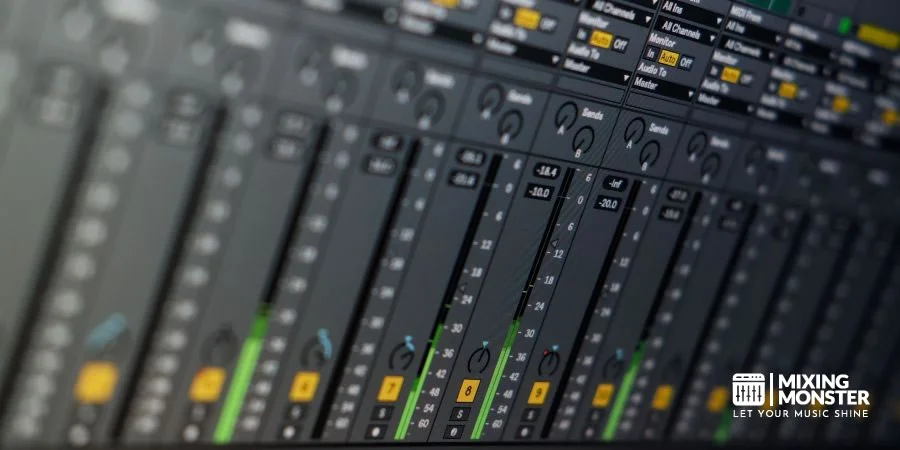
Grouping related automation parameters lets engineers control multiple elements at once. Most DAWs support VCA groups or automation folders that link faders while maintaining individual relationships.
Common grouping strategies include:
- Drum kit elements (kick, snare, hats, toms)
- String sections (violin 1, violin 2, viola, cello)
- Background vocal layers
- Guitar double-tracks
Linking automation curves prevents timing inconsistencies between related tracks. When automating stereo guitar parts, linking ensures both left and right channels move together proportionally.
Advanced linking techniques:
- Inverse linking for call-and-response elements
- Scaled linking with different ratios
- Offset linking for delayed reactions
Engineers can create custom control surfaces using automation grouping. A single fader controls the entire drum kit while preserving the internal balance between individual pieces.
MIDI Controller Integration
Hardware controllers provide tactile feedback similar to a traditional mixing console. Modern control surfaces use motorized faders to follow and record complex movements.
MIDI controller integration enables real-time parameter adjustments during mixing sessions. Engineers can record smooth automation curves by physically moving knobs and faders instead of drawing with a mouse.
Essential controller features:
- Motorized faders for automation recall
- Endless encoders for precise parameter control
- Transport controls for hands-free operation
- Bank switching for accessing multiple tracks
Custom MIDI mapping allows controllers to target specific plugin parameters. Engineers can assign reverb send levels, delay feedback, and EQ frequencies to dedicated hardware controls.
Touch-sensitive faders automatically switch between automation modes. Touching a fader enters write mode, while releasing it returns to read mode without manual intervention.
Template Creation For Consistent Results
Automation templates standardize common mixing workflows across different projects. Templates include pre-configured automation lanes, controller assignments, and grouped parameters.
Template components:
- Default automation modes for each track type
- Pre-assigned send levels and routing
- Standard grouping configurations
- Controller mappings for common parameters
Genre-specific templates incorporate typical automation patterns. Electronic music templates might include filter sweeps and effect throws, while acoustic templates focus on vocal rides and reverb automation.
Engineers create modular template sections for different song parts. Verse templates emphasize clarity and space, while chorus templates boost energy through strategic automation moves.
Template organization strategies:
- Separate templates for tracking and mixing
- Nested templates for different arrangement sizes
- Color-coded automation lanes for visual clarity
Regular template updates incorporate lessons learned from recent projects. This iterative approach refines automation workflows over time.
Troubleshooting Common Automation Issues
Automation conflicts occur when multiple controllers attempt to modify the same parameter simultaneously. DAWs typically prioritize the most recent input, but this can create unexpected jumps in automation curves.
Common conflict scenarios:
- Plugin automation overriding mixer automation
- MIDI controller data conflicting with drawn automation
- Multiple automation lanes controlling linked parameters
Timing issues arise when automation events don't align with musical phrases. Late automation makes sounds unnatural and draws attention away from the musical content.
Automation data can become corrupted during project transfers or version changes. Regular automation backup saves prevent data loss during collaborative mixing sessions.
Prevention strategies:
- Regular project saves at automation milestones
- Automation data export for external backup
- Version control for collaborative projects
Excessive automation can overload the CPU and cause playback stuttering. Reducing automation point density or bouncing automated tracks can resolve performance issues.
Automation scaling problems emerge when changing project tempos or sample rates. Most DAWs automatically adjust automation timing, but manual verification ensures accuracy.

6
Genre-Specific Automation Approaches
Different musical genres require distinct automation approaches to achieve their characteristic sound and dynamics. Electronic music relies heavily on filter sweeps and effect modulation, while rock emphasizes guitar and drum automation for impact.
Electronic Music Automation Techniques
Electronic music producers use automation as a core creative tool, not just a mixing enhancement. Filter cutoff automation creates the signature sweeps and builds that define dance music transitions.
Sidechain compression automation shapes the pumping effect essential to house and techno. The kick drum triggers volume dips in basslines and pads, creating rhythmic movement that drives the groove forward.
Effect send automation controls reverb and delay throws on individual elements. Producers automate reverb sends on vocal phrases to create space during breakdowns, then pull them back for intimate verses.
|
Parameter |
Usage |
Timing |
|
Filter Cutoff |
Build tension |
8-16 bars before drops |
|
Reverb Send |
Create space |
Vocal phrase endings |
|
Volume |
Dynamic contrast |
Every 4-8 bars |
LFO-style automation creates wobbles and rhythmic effects on synthesizer parameters. This technique involves drawing automation curves that mirror low-frequency oscillator patterns for consistent modulation effects.
Rock And Metal Automation Strategies
Rock mixing focuses on energy and impact through strategic automation of key elements. Guitar automation emphasizes solos and riffs by riding volume levels during different song sections.
Drum automation maintains punch while controlling dynamics between verses and choruses. Engineers automate overhead levels to add excitement during choruses without overwhelming the vocal performance.
Vocal automation in rock requires aggressive riding to compete with dense instrumental arrangements. Engineers boost vocal levels during screamed sections and pull back during clean passages to maintain clarity.
Bass guitar automation prevents frequency masking during heavy guitar sections. The automation ducks bass presence frequencies when rhythm guitars enter, then restores them during bass-prominent sections.
Parallel compression automation adjusts the blend between compressed and dry drum signals. This technique adds impact during heavy sections while keeping dynamics natural in quieter moments.
Hip-Hop And R&B Automation Methods
Hip-hop production relies on vocal automation to maintain presence over heavy beats and prominent basslines. Engineers constantly adjust vocal levels to ensure every word cuts through the mix clearly.
Kick and snare automation creates the genre's characteristic punch by emphasizing drum hits on strong beats. Slight volume boosts on downbeats reinforce the groove without over-compression.
R&B automation focuses on smoothness and maintaining groove pocket. Bass automation keeps the low end consistent while allowing subtle movement that supports the rhythmic feel.
Effect automation on vocals creates the polished sound expected in both genres. Reverb and delay automation adds space during hooks while keeping verses intimate and direct.
EQ automation dynamically addresses frequency conflicts between vocals and instruments. Engineers automate high-mid cuts on backing tracks when lead vocals enter, then restore them during instrumental sections.
Acoustic And Folk Music Automation
Acoustic music automation emphasizes natural dynamics preservation while addressing technical mixing challenges. Engineers use gentle automation to enhance existing performance dynamics rather than create artificial ones.
Room ambiance automation controls the sense of space throughout songs. Folk recordings often automate reverb levels to match the emotional intensity of different song sections.
Instrument separation automation prevents frequency masking between acoustic guitars, mandolins, and other mid-range instruments. Subtle EQ automation creates space for each instrument during ensemble passages.
Vocal automation in folk music maintains intimacy while ensuring lyrics remain audible. Engineers use light-touch automation that follows the singer's natural phrasing and breathing patterns.
Dynamic range automation preserves the genre's characteristic ebb and flow. Unlike pop music, acoustic genres benefit from minimal compression and careful dynamic preservation through thoughtful volume automation.

7
Professional Mix Automation Best Practices
Professional automation requires precise timing aligned with musical phrases and optimized curves that maintain transparency while enhancing dynamics. Effective quality control processes and organized session management ensure consistent results across projects.
Timing And Musical Phrasing Considerations
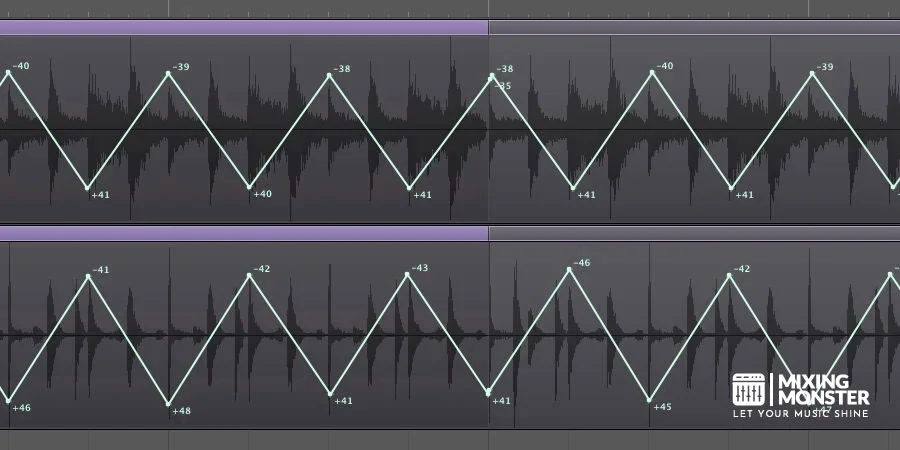
Automation timing must align with the natural flow of musical phrases, not arbitrary grid positions. Professional engineers identify key musical moments like vocal entrances, instrumental solos, and rhythmic changes as primary automation points.
Critical timing points include:
- Verse and chorus transitions
- Vocal phrase beginnings and endings
- Instrumental solo sections
- Bridge and breakdown moments
Engineers should place automation nodes slightly ahead of transients to account for digital processing delays. This typically means positioning volume increases 5-10 milliseconds before the actual musical event.
Automation moves work best when they support the song's emotional arc. Gradual builds during verses leading to more aggressive automation in choruses create professional dynamics that enhance listener engagement.
Musical phrasing considerations require understanding the song's tempo and feel. Faster songs benefit from quicker automation moves, while ballads allow for longer, more gradual changes that don't distract from the emotional content.
Automation Curve Optimization
Smooth automation curves prevent audible artifacts and maintain professional sound quality. Linear curves work well for simple level changes, while exponential curves better represent natural volume perception and musical dynamics.
Curve types and applications:
|
Curve Type |
Best Use |
Characteristics |
|
Linear |
Quick cuts, panning |
Constant rate of change |
|
Exponential |
Volume fades |
Matches human hearing |
|
S-curve |
Musical transitions |
Smooth acceleration/deceleration |
|
Stepped |
Effects on/off |
Instant parameter changes |
Engineers should minimize automation node density to keep curves smooth. Too many closely-spaced nodes create jagged automation that can introduce unwanted artifacts or unstable parameter behavior.
Mix automation techniques require balancing precision with musicality. Overly complex automation curves can sound mechanical and detract from the song's natural feel.
Professionals regularly zoom into automation lanes to verify curve smoothness and remove unnecessary nodes that don't contribute to the desired effect.
Quality Control And Review Processes
Systematic quality control ensures automation enhances rather than detracts from mix quality. Engineers should regularly bypass automation to compare automated versus static versions of mix elements.
Quality control checklist:
- Listen for automation artifacts or pumping
- Verify smooth transitions between sections
- Check automation doesn't mask important musical elements
- Confirm effects automation supports musical intent
Professional engineers establish reference points throughout the mixing process. They save automation snapshots before making significant changes, allowing quick comparison between different automation approaches.
Advanced automation tools enable precise control over parameter changes. Engineers use these tools to fine-tune automation curves and maintain consistent quality across all mix elements.
Critical listening on multiple speaker systems reveals how automation translates across different playback environments. What sounds smooth on studio monitors may reveal artifacts on consumer speakers.
Regular breaks during automation work prevent ear fatigue that can lead to poor judgment about automation effectiveness and musical appropriateness.
Collaboration And Session Management
Organized automation workflows facilitate collaboration between multiple engineers and maintain project continuity. Clear naming conventions for automation lanes and consistent color coding systems help team members quickly understand automation intent.
Session organization standards:
- Consistent automation lane naming
- Color-coded automation types (volume, effects, panning)
- Documented automation templates
- Version control for automation changes
Engineers should group related automation moves using track folders or VCA masters. This approach simplifies editing and lets team members quickly locate and modify specific automation elements.
Professional projects require automation documentation that explains creative decisions and technical implementations. This documentation helps other engineers understand the automation's musical purpose and technical requirements.
Template sessions with pre-configured automation setups speed up workflows and ensure consistency across projects. These templates include standard automation curves, naming conventions, and organizational structures.
Backup procedures must account for automation data, which can represent significant time investment. Engineers save automation-specific backups and maintain version histories that let them restore previous automation states.
8
Key Takeaways For Mix Automation Mastery
Start with volume automation before moving to complex parameters. Mix automation is crucial for getting your mix release-ready and volume remains the foundation of professional mixing.
Use automation modes strategically for different mixing phases:
|
Mode |
Best For |
Function |
|
Auto Write |
Initial passes |
Records all fader movements |
|
Auto Touch |
Fine adjustments |
Records only when touching controls |
|
Auto Latch |
Sustained changes |
Continues recording at last position |
|
Auto Read |
Playback |
Follows existing automation data |
Complement compression with subtle automation. Engineers often automate individual syllables in vocal tracks rather than over-compressing. This creates more transparent and musical results.
Automate send effects strategically. Automating the amount of signal sent to a reverb controls ambiance without changing overall reverb levels. Delay automation prevents reflections from conflicting with vocal phrases.
Think beyond volume automation. Filter sweeps, effect parameters, and EQ adjustments add movement and interest to static mixes—these creative applications separate amateur from professional productions.
Edit automation breakpoints precisely. Draw automation curves using pencil tools or create breakpoints manually for surgical control. The visual feedback helps producers understand how automation affects their mix timeline.
Practice subtlety over dramatic changes. Professional automation often involves small adjustments that listeners feel rather than notice. A few decibels of gain automation proves more effective than heavy processing.

Frequently Asked Questions
1
What software solutions are commonly used for mix automation in music production?
Most professional DAWs provide comprehensive automation for mixing. Logic Pro X, Pro Tools, Cubase, Reaper, and Studio One follow standardized automation methods with selectable parameters and modes.
These platforms allow users to record automation data during playback using Touch, Latch, and Write modes. Engineers can draw automation curves manually or record real-time movements from hardware controllers.
Ableton Live handles automation differently from other DAWs. The software treats automation data like any other recorded information and lacks traditional automation modes found in other platforms.
2
How does automation enhance the mixing process in a digital audio workstation?
Automation provides precise control over mix parameters that change throughout a song's duration. Engineers can adjust volume levels to bring instruments forward during solos and pull them back when vocals return.
Mix automation saves time and allows exact timing adjustments compared to manual fader movements during each playback. This precision eliminates the need for multiple engineers to handle simultaneous parameter changes.
The technology enables complex effect manipulations like EQ sweeps, reverb send adjustments, and compression threshold changes. You can automate multiple parameters simultaneously on individual tracks or buses.
3
Can vocal tracks be effectively automated during mixing, and if so, how?
Vocal automation addresses level inconsistencies and enhances emotional impact throughout a performance. Engineers commonly automate vocal faders to maintain consistent presence against varying instrumental arrangements.
Reverb send automation creates spatial changes that support lyrical content and song dynamics. Delay automation can emphasize specific words or phrases by engaging effects only during targeted sections.
EQ automation helps vocal tracks cut through dense arrangements during choruses while maintaining natural tone in verses. You can automate de-esser and compressor parameters to handle varying vocal intensity.
4
What is the role of automation in creating smooth transitions between songs?
Automation enables seamless level matching between different songs in an album or DJ set. Engineers use master fader automation to create custom fade-outs and fade-ins that complement musical content.
Cross-fade automation lets you overlap song endings and beginnings with precise timing control. This technique maintains energy flow between tracks with different tempos or keys.
EQ automation can smooth tonal transitions by gradually adjusting frequency content as one song ends and another begins. Filter sweeps and effect automation create build-ups that enhance transitional moments.
5
Are there examples of mix automation being crucial for sound design in various genres?
Electronic dance music relies heavily on filter automation to create tension before beat drops. Automation enables EQ frequency sweeps that build energy and release during climactic moments.
Hip-hop production uses automation for vocal chops, stuttering effects, and dynamic panning movements. Distortion and bit-crushing automation creates texture changes that define different song sections.
Rock mixing uses automation to emphasize guitar solos and enhance drum impact. Reverb automation creates space during breakdowns and tightens sound during heavy sections.
6
How can I effectively use automation on a mix bus?
Mix bus automation controls the overall level and character of grouped instruments simultaneously. Engineers often automate bus compression to add punch during choruses while maintaining dynamics in verses.
EQ automation on drum buses can enhance low-end impact during heavy sections and reduce it during quieter passages. This technique maintains frequency balance across different arrangement densities.
Parallel processing automation lets you blend compressed and uncompressed signals dynamically. The approach provides consistent energy while preserving natural instrument dynamics throughout the song.